Welcome to the CDS Handbook
This is the public knowledge base for CDS — an innovative tech consultancy focused on organisations where the outcomes genuinely matter.
Who is this for?
- Potential employees — get a transparent look at what working at CDS is really like, our values, and how we approach delivery.
- Clients and partners — understand our expertise, our ways of working, and the standards we hold ourselves to.
- CDS consultants — a shared reference for practices, tools, and approaches.
What's in the handbook?
About CDS — Our culture, values, and what it's like to work here.
How We Work — Our delivery approach, methodologies, and the standards we apply across every engagement.
Our People — How we support our people and lead our client accounts.
Practices — Cross-discipline communities that share knowledge, maintain standards, and develop expertise across CDS.
Tools & Technologies — The tools and technologies we use and recommend.
About CDS
About CDS
CDS is an innovative tech consultancy focused on organisations where the outcomes genuinely matter. We believe that great delivery comes from teams who care deeply about quality, are honest about what they're doing and why, and push themselves and their clients to do better.
This section covers who we are, what we value, and what it's like to be part of the team — whether you're considering joining us, working with us, or already here.
Life at CDS
What working here is actually like.
The short version
CDS is a UK consultancy of around 80 people. We simplify complexity to make a positive difference — for our clients, for the people they serve, and for each other. We work with organisations that matter, on problems that matter, with people we genuinely enjoy working with.
That's the short version. The longer one is below.
What we do
We work with clients across government, the public sector, and large private organisations — on things like digital transformation, service design, software delivery, and data. The common thread is that the work matters and the problems are usually knotty. We're at our best when we're trusted to challenge what an organisation is doing, not just to deliver what they asked for.
The four phases we move through with most clients — learn, design, implement, optimise — are less of a methodology and more a description of how we think. Listen first. Design with the customer in mind. Deliver well, together. Keep improving.
How we work with each other
We're a small enough team that you'll know most people's names within a few months. Big enough that there's always someone with deep experience in whatever you're trying to figure out.
We don't run on traditional line management. Every Consultant has a Client Lead — closest to their work, the person they see day-to-day — and an Advocate — closest to their career, stable across account moves. Between them, we try to make sure nothing important falls through the gap.
We hold ourselves to five values that aren't just for the wall: tenacity, togetherness, integrity, curiosity, and a constructive willingness to challenge. They show up in real decisions. You'll see them tested in the small moments — how someone gives feedback, how a difficult client conversation gets handled, what happens when something goes wrong.
The honest bit
The work is interesting. It's also challenging. We don't try to oversell the easy parts or hide the hard parts.
You'll be asked for your view, and expected to back it up. You'll work on real problems with real stakes, often for clients with high expectations. You'll be supported, but also stretched. We hire people who want that.
What's good about being here
- Work that matters. Most of what we do has a public benefit at the end of it — citizens served, processes simplified, services made fairer.
- Smart, kind colleagues. People who care about the work and about each other. The kind you'd choose to have a coffee with, not just sit next to.
- A say in how things go. We're small enough that what you think and do shapes what CDS becomes.
- Support without surveillance. Two close support relationships, a wider network around them, and the trust to get on with your job.
- Career direction you own. We'll back what you want to do next — but it's yours to drive.
Come and work with us
We're always interested in hearing from people who think they'd add something to CDS — not just people with the right CV. If that sounds like you, get in touch.
Our Values
CDS has five core values. They are not aspirational — they describe how we actually work and how we expect every person at CDS to show up, regardless of role or seniority.
Tenacity
We are determined and diligent. It's natural to face obstacles and difficulties every day. We never flinch from them, never look for the path of least resistance. We take responsibility for all our actions and take pride in all our achievements.
Togetherness
We're united in our common purpose. A group of talented, like-minded individuals working collectively to transform our clients' organisations for the better.
Integrity
We always do what we say we will. When we talk to each other or to our clients, we are honest, open and accurate. Without exception. No excuses.
Curiosity
We are never afraid to ask, what if? or why? or how?. We are naturally and unashamedly inquisitive and intrigued to learn or discover a better way.
Challenging
We challenge the status quo. We positively and proactively challenge, looking for ways to improve, innovate and inspire.
All five values are expressed through specific behaviours at every level of the business. See Our Behaviours for the full framework.
Our Behaviours
At CDS, our values are brought to life through specific behaviours. This framework sets out what those behaviours look like at each seniority level — so that expectations are clear and career progression is transparent.
Seniority levels
| Level | Brief description | Scope |
|---|---|---|
| Senior Leadership | Accountability for organisation-wide strategy, outcomes, and direction | Organisation |
| Principal | Highly experienced, V-shaped professionals providing leadership and deep expertise, with significant organisational accountability | Organisation |
| Lead | Experienced practitioners who are adaptable and flexible, with roles which contribute beyond the day-to-day to growing CDS | Department |
| Mid | Broad level covering skilled practitioners across the majority of "doing" roles in the business | Team |
| Associate | Entry level roles across disciplines and departments | Self |
Tenacity
We are determined and diligent. We never look for the path of least resistance, and we take pride in all our achievements.
Practitioner Excellence
Demonstrates strong performance with core skill set and shows a desire to expand skills in other areas. Seeks opportunities to learn new techniques and approaches, building a solid foundation of capability.
Proactivity and Drive
Brings enthusiasm to their work and resilience when facing challenges, maintaining a constructive attitude that energises those around them. Approaches obstacles with determination and a problem-solving mindset.
Practitioner Excellence
Demonstrates strong performance with core skill set and actively looks to expand skills in other areas. Champions their core skill set within CDS, sharing expertise with colleagues and contributing to capability discussions.
Proactivity and Drive
Brings proactive energy to driving work forward, approaching obstacles as opportunities and maintaining team morale through difficult periods. Takes initiative to overcome challenges and inspires others through their determination.
Practitioner Excellence
Displays excellence with core skill set and is capable of taking on varied responsibilities. Champions their core skill set within CDS, serving as a go-to expert and mentor for others developing their capabilities.
Proactivity and Drive
Brings infectious optimism combined with determined execution, inspiring teams to push boundaries whilst keeping spirits high in complex situations. Creates momentum through their energy and maintains focus on ambitious goals.
Practitioner Excellence
Displays excellence with core skill set and is strong at taking on varied responsibilities. Champions their core skill set within CDS as a go-to person for others, setting standards for Practitioner Excellence and mentoring future experts.
Proactivity and Drive
Brings visionary drive that motivates the organisation, balancing ambitious goals with sustainable energy and fostering a culture where positivity fuels performance. Creates organisational momentum that inspires people to achieve exceptional results.
Practitioner Excellence
Sets the vision, ambition and direction for CDS including associated technical credibility across all disciplines — operations, commercial, client service, delivery, technology and strategy. Cultivates environments where expertise thrives, ensures standards are forward-looking and robust, and makes strategic decisions grounded in a deep understanding of our people, culture, technology, risk and client outcomes.
Proactivity and Drive
Brings constructive ambition and a calm resolve. Steadies the organisation through uncertainty, energises people with clarity and removes the noise. Maintains focus on long-term value even when faced with short-term pressures. Creates organisational momentum, not dependency.
Togetherness
We're united in our common purpose, working collectively to transform our clients' organisations for the better.
People-First Mindset
Willingly helps teammates, shares knowledge openly, and prioritises team success over personal recognition. Contributes positively to team dynamics and actively supports colleagues in achieving shared goals.
Commercial and Business Acumen
Shows awareness of how their work contributes to client value and business outcomes, asking questions to understand the commercial context of decisions. Demonstrates interest in the broader business impact of their activities.
People-First Mindset
Actively collaborates across teams and disciplines, breaking down silos and ensuring collective success over individual achievement. Builds bridges between different groups and fosters a culture of mutual support and shared ownership.
Commercial and Business Acumen
Understands project budgets and client commercial drivers, making decisions that balance delivery quality with cost-effectiveness. Contributes to commercial discussions and identifies opportunities to maximise client value within constraints.
People-First Mindset
Leads in a way that empowers teams and encourages working together, building collaborative cultures and recognising team contributions above individual wins. Creates environments where diverse perspectives are valued and collective success is celebrated.
Commercial and Business Acumen
Exercises strong commercial judgement across projects, identifying opportunities for value creation, managing complex budgets, and contributing to commercial discussions with confidence. Balances client needs with business sustainability and growth.
People-First Mindset
Thinks at an organisational level to eliminate hero culture, creating systems and environments where diverse teams achieve exceptional results together. Shapes how CDS operates to ensure collaborative success becomes embedded in everything we do.
Commercial and Business Acumen
Thinks strategically about commercial matters that shape client relationships and business direction, influencing major commercial decisions and identifying new market opportunities. Positions CDS for sustainable growth whilst maintaining client value focus.
People-First Mindset
Unifies the organisation. Dissolves internal barriers, removes friction, role-models collaboration across disciplines, and creates systems where individuals and teams succeed collectively rather than through isolated heroics. Understands that their behaviour, actions and decisions shape culture — and acts accordingly.
Commercial and Business Acumen
Thinks and acts like custodians of the business. Evaluates decisions through the lens of long-term sustainability, client value, risk and return. Ensures CDS remains financially resilient, strategically positioned, and commercially well-judged.
Integrity
We always do what we say we will. We are honest, open and accurate — without exception.
Integrity and Honesty
Acts with honesty in all interactions, speaking up when something doesn't feel right and admitting when they don't know something. Builds trust through transparent communication and ethical conduct in all situations.
Open Communication
Communicates clearly and proactively with teammates and clients, providing timely updates on progress and challenges. Receives feedback with openness and willingness to learn, asking clarifying questions to understand how to improve.
Integrity and Honesty
Acts with integrity in decision-making and client interactions, having difficult conversations when needed and building trust through transparency. Demonstrates ethical leadership in challenging situations and role-models honest communication.
Open Communication
Maintains transparent, frequent communication with clients and colleagues, proactively managing expectations and addressing issues before they escalate. Provides timely, specific feedback to colleagues that focuses on actions and outcomes, helping others improve whilst also seeking feedback on their own performance.
Integrity and Honesty
Maintains strong integrity in complex situations, role-modelling honest communication with colleagues and clients even under pressure, and creating psychologically safe environments. Sets the tone for teams and ensures standards are upheld consistently.
Open Communication
Sets the standard for clear, honest client and team communication, ensuring stakeholders are aligned and informed throughout engagements. Delivers challenging feedback with care and clarity, creating dialogue that drives improvement and regularly coaching others on how to give and receive feedback effectively.
Integrity and Honesty
Provides ethical leadership that sets the standard for the organisation, ensuring integrity is embedded in everything CDS does. Creates the conditions for ethical decision-making and transparent conduct across all levels of the business.
Open Communication
Establishes communication excellence as an organisational standard, ensuring transparency in all client and internal interactions. Models exceptional feedback practices across the organisation, fostering a culture where constructive challenge is expected and valued.
Integrity and Honesty
Upholds uncompromising ethical standards. Acts with independence of judgement, even when decisions are uncomfortable, complex or scrutinised. Creates an environment where truth can be spoken, concerns can be raised without fear, and transparency is the default, not an aspiration.
Open Communication
Creates organisational norms for transparent, courageous communication at all levels — with clients, across teams, and throughout leadership. Sets the behavioural standards and psychological safety that enables challenge, and ensures both communication and feedback flow vertically and horizontally as habitual practice.
Curiosity
We are never afraid to ask, what if? or why? or how?. We are inquisitive and intrigued to learn or discover a better way.
Adaptability
Remains flexible when priorities shift or approaches change, staying open to feedback and new ways of working. Embraces change as an opportunity to learn and demonstrates willingness to step outside their comfort zone.
Continuous Improvement
Displays curiosity about better ways of working, actively seeking feedback and learning from experiences to develop their skills. Shows initiative in identifying opportunities for personal development and skill enhancement.
Adaptability
Responds with agility to changing client needs and project dynamics, helping teams navigate uncertainty whilst maintaining momentum. Shows strong desire to take on responsibilities outside their comfort zone, embracing new challenges.
Continuous Improvement
Commits to improving processes and practices, experimenting with new approaches and sharing learnings with others. Identifies inefficiencies and takes action to address them, contributing to the evolution of team practices.
Adaptability
Shows resilience in complex, ambiguous situations, pivoting strategies when needed and helping others embrace change constructively. Comfortable operating outside their comfort zone and demonstrates versatility across varied responsibilities.
Continuous Improvement
Leads improvement initiatives, identifying systemic issues and implementing changes that benefit multiple teams or projects. Champions innovation and creates frameworks for sustainable improvement across the organisation.
Adaptability
Excels in navigating organisational change and market shifts, setting the tone for how CDS responds to uncertainty and evolves its approaches. Demonstrates strategic flexibility and is comfortable making decisions with imperfect information.
Continuous Improvement
Holds strategic vision for organisational improvement, championing innovation and establishing practices that elevate CDS's delivery excellence. Creates frameworks and systems that enable continuous evolution of capabilities and approaches.
Adaptability
Anticipates change rather than reacts to it. Adjusts strategies thoughtfully and brings people with them through uncertainty. Helps the organisation stay agile and match fit rather than defensive or reactive.
Continuous Improvement
Changes how the organisation works — not just how their part of it works. Identifies patterns, root causes and structural constraints, and addresses them. Stewards innovation by creating a safe space for experimentation, learning and organisational evolution. Improvement becomes cultural, not sporadic.
Challenging
We challenge the status quo. We positively and proactively look for ways to improve, innovate and inspire.
Leadership
Takes ownership of their own tasks and commitments, looking for opportunities to support others and contribute beyond their immediate responsibilities. Demonstrates accountability and seeks ways to add value to the team.
Client Obsessed
Shows awareness of customer needs and how their work impacts the end user or customer experience. Asks questions to understand client objectives and considers the customer perspective in their daily work.
Leadership
Leads initiatives and individuals, driving work forward and inspiring others through their actions and approach. Takes accountability for outcomes and empowers team members to take ownership of their contributions.
Client Obsessed
Maintains consistent focus on outcomes, making decisions that prioritise client success and advocating for customer needs. Builds strong working relationships with clients and anticipates their needs proactively. All decisions made have our clients at the centre.
Leadership
Leads teams and complex initiatives, taking accountability, creating environments where people thrive and delivering outcomes through others. Develops leadership capability in team members and shapes how work is approached and executed.
Client Obsessed
Possesses deep understanding of client and customer challenges, shaping approaches around value and building lasting client partnerships. Acts as a trusted adviser who anticipates client needs and delivers strategic insight. All decisions made have our clients at the centre.
Leadership
Leads across the organisation, taking strong accountability, influencing culture and direction, mentoring leaders, and shaping how CDS operates. Develops leadership capability at scale and ensures the organisation has the leadership strength needed for future success.
Client Obsessed
Maintains strategic focus that influences CDS's direction, ensuring client success remains central to how we grow and evolve. Shapes organisational strategy around deep understanding of client needs and market dynamics. All decisions made have our clients at the centre.
Leadership
Shapes direction, culture and consequence. Challenges organisational assumptions, invites challenge to their own thinking, and treats curiosity, challenge and opposing views as a sign of health, not disruption. Holds themselves and others to account for the long-term success of the company — even when it requires difficult decisions.
Client Obsessed
Maintains a strategic understanding of the markets and communities we serve, acting as trusted advisers rather than passive suppliers. Engages clients with courage and empathy — challenging assumptions, offering alternative perspectives, and guiding decisions that lead to better outcomes. Recognises that in the mission-critical environments we support, failure is not merely inconvenient but consequential.
What We Do
CDS is an innovative technology consultancy focused on organisations where the outcomes genuinely matter.
We help organisations that run critical digital services — services that can't go down, can't be breached, and can't afford to stand still. We advise on what to do and in what order. We build and modernise services that have to perform at scale. We secure and protect them. And we run and optimise them.
We've done this for 30 years, across government, regulators, and national-scale private sector. The common thread: we work where the cost of failure is high and the outcomes genuinely matter.
Who we work with
Public sector — where our 30-year legacy lives. Central government and arm's-length bodies, policing and emergency services, regulators and professional bodies. Services where accountability is real, accessibility is required, and the Government Service Standard sets the bar.
Private sector — growing with intent. Regulated financial services, national-scale consumer-facing digital, and other industries where the same pattern applies: critical services, high reliability requirements, real consequences if something goes wrong.
The common thread across both: clients with digital services where reliability, security, and accountability matter.
How we organise our work
CDS's technology work is organised into four pillars — the four types of outcome we deliver for clients:
Advise — helping clients work out what to do and in what order. Structured discovery, technology advisory, independent assessment. The work that gives clients confidence before they commit.
Build — designing and delivering working digital services. Platforms, applications, automated workflows, AI-enabled services, cloud modernisation. The work that turns a decision into a running system.
Protect — making services resilient and secure. Edge and application security, Zero Trust network access, ongoing security operations. The work that keeps services safe under pressure.
Run — keeping services healthy and improving over time. Managed service, incident and problem management, continual service improvement. The work that makes sure what we've built stays running.
Most engagements span more than one pillar. A typical pattern: Advise to define and sequence the work, Build to deliver it, Protect to secure it, Run to keep it healthy.
Seven services
Within the four pillars, CDS delivers seven services:
| Pillar | Service |
|---|---|
| Advise | Discovery, Advisory & Assessments |
| Build | Digital Platform & Product Delivery |
| Build | Process Automation & Case Management |
| Build | Applied AI |
| Build | Cloud Modernisation |
| Protect | Edge & Application Security |
| Run | Run & Optimise |
What we're known for
- Technical quality — our pitches and delivery stand up to scrutiny
- Critical services that don't fall over — at national scale, under attack, at peak load
- 30-year public sector legacy — Service Standard, accessibility, regulatory rigour, all proven
- Outcomes, not capabilities — we engage with the client's problem first, then bring the right technology
- Modern engineering and operational rigour — we build it, we secure it, we run it
Leadership
Leadership
CDS's leadership team sets the direction of the business and is accountable for how we deliver for clients, how we operate as an organisation, and how we grow.
The senior leadership team:
- Alex Coates, Managing Director
- Steven Burton, Director of Technology & Strategy
- Helen Vale, Delivery Director
- Jennie Read, Head of Operations
- Chris Whitehall, Head of Sales & Marketing

Alex Coates
Managing Director · he/him
Alex leads CDS and spends most of his time thinking about our clients, our people, and how we continue building a business we're genuinely proud of.
In Alex's words
I believe great organisations are built around people who want to do the right thing. My role as Managing Director isn't just to make good commercial decisions, but to find people whose values align with ours, create an environment where they can do their best work, remove the barriers that get in their way, and then trust them to get on with it.
I value honesty over spin and curiosity over having all the answers, and I believe strongly that good leadership sometimes means making difficult decisions while never losing sight of the people affected by them. I'm always happy to be challenged, and I'd much rather someone raise an idea, problem or concern than sit quietly wondering whether they should.
Outside CDS, I'm married to Jo and dad to William. I have an entirely unnecessary collection of Clarks Originals, approximately 40 virtually indistinguishable white t-shirts, and consider matching my socks to my overshirt an important part of getting dressed properly. I'm also an avid reader of history, have considerably more tattoos than most colleagues initially realise, and am rarely happier than when travelling or learning something new.
If you're new to CDS, introduce yourself. I genuinely mean it when I say my door is open... if I had a door.
What Alex leads
- The direction, strategy and standards for CDS as a whole
- A team of more than 75 technology specialists delivering across software engineering, digital innovation, cloud and security
- The commercial health of the business, from pipeline and forecasting through to predictable, repeatable value for clients
- The culture and partnerships CDS is built on, holding to "People First and Client Obsessed" as a standard, not a strapline
Background
Alex has been with CDS for more than eight years, leading the client-facing and commercial side of the business as Director of Clients & Growth before becoming Managing Director in 2025 and helping reshape CDS into a standalone, agile technology services company. His earlier career spans commercial and client leadership across technology and communications businesses including RR Donnelley, CenturyLink and Level 3. He is also an Institute of Directors Ambassador for the Tees Valley.
Get in touch
Alex is CDS's Managing Director. Reach Alex at alex.coates@cds.co.uk, or connect on LinkedIn.

Steven Burton
Director of Technology & Strategy · he/him
Steven leads technology strategy across CDS. Steven's career has run from hands-on engineering and test automation, through technical, delivery and account leadership, to director level, and the technical thread has stayed throughout. What Steven values most is building the teams, capabilities and organisational structures that outlast any single project, with quality and people kept at the centre.
In Steven's words
I've been interested in computing ever since I was a kid, building my first PC in my bedroom. As I've progressed in my career, I've found I love influencing and guiding technical decisions. Building software that is user-centred is a big passion of mine: the tech choices we make should always have the user journey in mind, and that's something that guides me.
Outside of work, I have a young daughter who I adore spending time with. I'm into martial arts, long rides on my motorbike, and keeping fit.
What Steven leads
- Technology strategy at board level, driven through the target operating model, including the design and rollout of the practices (Engineering, Product Delivery and QA) and the Service Management team
- Enterprise AI adoption across the business, deploying Claude and Claude Code company-wide with the governance, security controls and measurement to make adoption real
- The internal platforms and AI infrastructure CDS runs on, including the integrations that connect our knowledge, skills and ways of working into our tooling
- Senior client-facing work on major public sector procurements, and how CDS structures senior roles on national-scale accounts
- The career path framework and job descriptions across technical disciplines, and senior engineering recruitment
Background
Before CDS, Steven was Head of Services & Engineering and then Head of Delivery at Burendo, and held senior consulting and account leadership roles at Accenture and Infinity Works, with clients including the DWP, ASDA and Hermes. Steven started out in test engineering and automation, and has since led delivery, technical and account teams across many industries and technology stacks.
Strengths
Technology strategy · engineering leadership · enterprise AI adoption · commercial and account leadership · coaching and developing people
Qualifications
Professional Agile Leadership I (PAL I) · ISEB Certified Tester, Foundation Level · BSc Computer Science, University of Brighton
Get in touch
Steven is Director of Technology & Strategy at CDS. Reach Steven at steven.burton@cds.co.uk, connect on LinkedIn, or read more at stevenburton.tech.

Helen Vale
Delivery Director · she/her
Helen is CDS's Delivery Director, a delivery leader with 25 years' experience in commercial technology. Helen's track record covers transforming ways of working, developing solutions and running services through in-house teams, offshore partners and third parties, brought together with a pragmatic, straightforward approach across delivery, programme management, service management and consultancy.
In Helen's words
I've spent my career in technology, starting out as a software developer before moving into delivery and consultancy. What I enjoy most is bringing people together to solve complex problems, and helping teams, clients and organisations turn good intentions into real outcomes. I'm particularly passionate about creating environments where people can do their best work, while keeping a clear focus on the value we're delivering for users and clients.
Outside of work, I love spending time with my family, travelling and getting away to explore new places. I'm also partial to good food and a bit of gardening.
What Helen leads
- Delivery across CDS's client engagements, and the standards and consistency that run across them
- The commercial performance and senior client relationships behind those engagements
- Growing, supporting and developing delivery people
- Senior leadership on major proposals and bids
Background
Helen joined CDS from Burendo. There, as Head of Delivery and a member of the senior leadership team, Helen was accountable for all client delivery and commercial performance across a portfolio of more than £18m, leading around a hundred consultants. Earlier roles span Infinity Works, cap hpi (as Head of Development), Morrisons and RWE, across government, health, financial services, retail and energy, with a consistent thread of managed services, large-scale programmes and offshore partnerships.
Strengths
End-to-end agile delivery · programme management · service management · supplier and partner management · commercial and budget management · mentoring and coaching
Certifications
Certified SAFe Program Consultant (SPC) · Professional Agile Leadership I (PAL I) · Certified ScrumMaster · MSP Foundation · ITIL v3 Expert · AWS Certified Cloud Practitioner · ISTQB Certified Tester, Foundation Level · BSc (Hons) Business and Management Studies, University of Bradford
Get in touch
Helen is CDS's Delivery Director. Reach Helen at helen.vale@cds.co.uk, or connect on LinkedIn.

Jennie Read
Head of Operations · she/her
Jennie is CDS's Head of Operations, leading HR, recruitment, internal IT and business operations across our 60+ person business. Her role sits across pretty much every part of CDS, from supporting people and managers day to day to shaping how the business operates, improving the systems and processes behind it, and making sure the less-visible machinery keeps working while the company continues to evolve.
Jennie's background spans both commercial client leadership and operations, giving her a slightly different perspective on the role: good operations shouldn't create more hoops for people to jump through. It should remove friction, make things simpler and give teams more time to focus on the work they're actually here to do.
In Jennie's words
I like fixing things. Sometimes that's designing a completely new process; sometimes it's looking at something we've done the same way for years and asking why it takes six steps when it could take two.
Operations can be a bit like that scene in Spider-Man where he's trying to hold the ferry together with webs going in every direction. There are always things happening behind the scenes that most people will never need to know about — and that's generally a good thing. The aim, though, isn't to become really good at holding everything together with webs. It's to build things properly so you don't need the webs in the first place.
Outside work, I'm usually making something, growing something or surrounded by dogs. I knit a lot, love gardening and will happily turn my hand to most creative projects — usually with several unfinished ones on the go at once.
What Jennie leads
- HR and people operations across CDS, supporting our people and managers throughout the employee lifecycle
- Recruitment and resourcing, helping the business build the teams and capabilities it needs
- Internal IT and workplace technology, including the systems, devices and services our people rely on to do their jobs
- Business operations, including forecasting, invoicing, operational reporting, governance and the processes that keep the day-to-day business moving
Background
Jennie joined CDS in 2019 as Senior Account Manager for Education and Professional Development, leading commercial relationships with clients including Ofsted, CIPD, Henley Business School and The Open University. In 2022, she moved from client services into operations as Resourcing & Mobilisation Manager, before progressing to Business & Project Support Manager and then Head of Operations in 2025.
Before CDS, Jennie worked across account management, project delivery, field operations, reporting and insight at Design Portfolio, The Delta Group and CPM. She started her career working with data and operational performance before moving into increasingly broad client and team leadership roles, experience that now gives her a view of operations from both sides of the business.
Outside her role at CDS, Jennie is a Trustee of The Art House in Wakefield and regularly contributes to conversations about women in technology, including speaking at Women in Tech events about leadership, career progression and representation in the industry.
Strengths
Operational strategy · organisational change · cross-functional leadership · people operations · process improvement · business systems · commercial operations · turning complicated things into simpler ones
Certifications
Business with Finance, Northumbria University · Chartered Institute of Marketing (CIM) Diploma in Professional Marketing, Level 6 · Licentiateship Award in Personal and Professional Skills Development · Northern PoWEr Women Future List 2025 · Yorkshire Businesswoman Awards 2026 – Rising Star Award Finalist
Get in touch
Jennie is CDS's Head of Operations. Reach Jennie at jennie.read@cds.co.uk, or connect on LinkedIn.

Chris Whitehall
Head of Sales & Marketing · he/him
Chris leads sales and marketing at CDS. That means working out who we want to work with, making the case for why they should want to work with us, and staying alongside clients from a first conversation through to work that's actually underway.
Most of it starts with an actual conversation. That's the thread running through how Chris works, and it shapes how the commercial side of CDS operates.
Little of that happens on his own. Chris works alongside colleagues across pre-sales, bids and delivery, and with our technology partners, from first opportunity through to handing won work over to the team who will deliver it.
In Chris's words
I believe in the power of conversation. If a challenge needs understanding, a problem needs solving, a question needs answering, a relationship needs maintaining or, importantly, trust needs building, it's best to have a conversation rather than firing out exchanges over Teams or email. That has always served me well and I believe it's critical to business and personal success. I'd welcome such a conversation with you.
I'm married to Rosie, whose free-spirited, spontaneous and adventurous side keeps me young, and our Jack Russell, Skip, keeps me in equal parts laughing and annoyed.
I used to run pretty successful club nights, booking internationally renowned underground house and techno DJs, as well as DJing myself. Those days are sadly behind me, but when I can find the time I still live them vicariously through my decks and an ever-growing record collection.
What Chris leads
- Sales and marketing strategy, covering who we want to work with, why they should want to work with us, what we want to talk to them about, and the business objectives behind it
- Customer engagement and opportunity management from end to end, building the relationship, identifying the problem, defining the solution, collating the proposal, aligning commercially, justifying the business case, and coordinating the buying process alongside the client
- Marketing planning and budget allocation
- Public sector procurement pipeline strategy, and the bids that come out of it
- Partnerships with complementary service partners and strategic technology vendors
Background
Chris has worked in sales for 18 years, starting out as an outbound appointment generator and moving through enterprise sales into sales and marketing leadership. The first 13 of those were spent agency-side in marketing, latterly leading new business at the digital agencies IDHL and twentysix. The last five have been in technology services and consultancy sales, joining CDS in 2022 as Head of New Business before taking on sales and marketing.
Sales is the primary focus, but marketing is where Chris started. He read Marketing at Sheffield Hallam University and completed the Mini MBA in Marketing in 2025, and market and customer centricity sit at the core of how he approaches the role.
A good deal of his recent work has gone into technology partnerships, most notably with Cloudflare. He is accredited at both levels of Cloudflare's sales programme, which sits behind CDS's Cloudflare work as an Authorised Service Delivery Partner.
Strengths
Proposition development · executive leadership · sales pipeline development · enterprise and public sector sales · customer engagement and opportunity management · bid and procurement strategy · partner and vendor relationships · marketing strategy
Qualifications
Cloudflare Accredited Sales Professional Level I (ASP I) · Cloudflare Accredited Sales Professional Level II (ASP II) · Mini MBA in Marketing · BA (Hons) Marketing, Sheffield Hallam University
Get in touch
Chris is CDS's Head of Sales & Marketing. Reach Chris at chris.whitehall@cds.co.uk, or connect on LinkedIn.
How We Work
How We Work
Good delivery doesn't happen by accident. This section covers the approaches, methodologies, and standards that shape how CDS teams work — on every engagement, with every client.
The Engineering Bar sets out the standard we hold ourselves to. The rest of this section is organised around three themes that put that standard into practice: Delivery, covering how we run engagements from discovery to handover; Engineering & Architecture, covering the technical principles and infrastructure practices that underpin what we build; and Quality, covering how we build testing and accessibility in from the start.
These aren't rigid rules. They're the result of experience across many projects and many teams, refined over time into patterns that consistently produce better outcomes. They apply across disciplines — the shared layer that every CDS team draws from, regardless of practice or technology stack.
For deeper, discipline-specific standards and techniques — the detailed tooling guidance, methodologies, and practice-owned resources that sit beneath these shared approaches — see the Practices section.
The Engineering Bar
These are the principles that define what good looks like at CDS — the standard we hold ourselves to across every engagement. Some are fully embedded across our portfolio. Some are the bar we're consciously building toward. We're clear about which is which.
Engineer for production from day one
We don't build prototypes dressed up as production systems. From the first sprint, we make decisions about security, observability, resilience, and scalability that will matter when the service is live and under load. Threat modelling happens early. Monitoring is built in from the start. Failure modes are tested before they happen in production.
This isn't just a technical preference — it's a commercial one. Services retrofitted for production are more expensive to fix, more likely to fail at the wrong moment, and harder to hand over.
Secure by design as standard
Security is built into how we work from the first line of code. Secure defaults, CSP headers, proper authentication, secrets management, regular dependency updates — these are baseline, not optional. We don't treat security as a separate workstream or a gate at the end of delivery. It's part of every sprint, every pull request, every architecture decision.
See the Security page for how this applies in practice.
Cloud-native by default, platform-thoughtful by design
We favour modern cloud platforms because they give clients the scalability, resilience, and cost efficiency that legacy infrastructure often can't match. But cloud isn't always the right answer, and we don't push clients toward it for its own sake. We assess what's right for the situation — fully cloud-native, hybrid, or modern practices applied to on-premise infrastructure — and design accordingly.
Automation as the default operating posture
CI/CD pipelines, infrastructure as code, automated testing at unit, integration, and end-to-end level, automated security checks in the pipeline. We don't treat automation as a nice-to-have to be added later. It's part of how a CDS engagement is set up from day one.
This pays dividends for clients beyond the engagement: services with strong automation baked in are cheaper to run, safer to change, and easier to hand over.
AI integrated into delivery — and into what we deliver
We use AI-assisted development tools across our engineering teams. This isn't a future ambition — it's how we work now. It makes delivery faster, code more consistent, and teams more effective.
We're also building AI into the services we deliver — applied AI features, AI-enabled workflows, AI on the edge. The goal is working AI applications that deliver measurable outcomes, not strategy documents about AI.
Product thinking over project thinking
Working software in small increments. Engagement with the real problem, not the brief as written. A focus on outcomes — what changes for the people using the service — rather than outputs: lines of code, story points, documents produced.
This means we push back when a brief points toward the wrong solution. It means we structure delivery to show value early. And it means we measure success by what's different for users, not what we shipped.
The discipline that keeps services dependable
Defects fixed. Tests run. Dependencies kept current. On-call rigour. Postmortems learned from. This is the work that separates services that hold up over time from those that degrade. It's less visible than new features but more consequential.
Services sustaining tens of millions of daily requests, national policing infrastructure, and regulated professional platforms are reliable not because they were built well and then left alone, but because they're actively maintained to a standard.
Pragmatic innovation as standard
We adopt what's proven to move: edge compute, AI-augmented delivery, modern security models, infrastructure as code. Not because it's new, but because it works and our clients need to keep moving.
We're not early adopters for the sake of it. We distinguish between technology that is modern and technology that is immature, and we're honest about which is which.
Delivery
Delivery
How CDS plans, runs, and hands over engagements — from the first discovery conversation through to a client team that can confidently maintain what we've built.
In this section
- Delivery Approach — our engagement lifecycle, documentation standards, and approach to quality
- Agile Practices — how we apply agile ways of working in practice
- Measuring Delivery — the DORA metrics we collect and the working habits that make them trustworthy
- Government Service Standard — how we work with the 14-point standard that governs UK government digital services
Delivery Approach
Our delivery approach is designed to be lightweight, effective, and adaptable. We focus on delivering value early and often, with strong communication throughout.
Engagement lifecycle
Discovery
Before we write any code, we invest time in understanding the problem. This typically involves stakeholder interviews, technical assessment, and defining clear success criteria. Discovery is where we identify the highest-risk assumptions and begin to resolve them — either through research, through a spike, or through a proof of concept — so that we do not encounter them halfway through delivery when the cost of changing course is much higher.
For technical engagements — particularly those involving infrastructure, cloud platforms, or security configuration — discovery includes a current-state assessment of the existing environment. We understand what is there before we propose what should change.
Public sector engagements often follow Government Service Standard discovery patterns. Where that is the context, we align our discovery approach with the standard's requirements for user research, problem definition, and options development.
Delivery
We deliver iteratively, with working software demonstrated regularly. We prioritise ruthlessly and focus on the highest-value items first.
For technical configuration and infrastructure work, delivery follows a consistent four-stage pattern:
Discover — current state assessment, workshops, documentation review.
Define — findings compiled, scope confirmed, success criteria agreed. The client knows exactly what will be addressed before implementation begins.
Design — architecture, configuration, and any IaC built and peer-reviewed before deployment.
Deliver — implementation, validation against agreed success criteria, client handover with documentation and a clear view of next steps.
This framework applies whether the engagement is a two-week infrastructure assessment or a multi-month platform build. The scope changes; the rigour does not.
Transition
We do not just build and leave. We ensure proper knowledge transfer, documentation, and support planning so that our clients can maintain and extend what we have built.
Handover is planned from the start of an engagement, not as an afterthought in the final sprint. If the client's team will own the system, we involve them in technical decisions throughout delivery — so there is no gap in understanding when we step away.
For infrastructure and configuration work, the client receives the codebase as a deliverable. They own it. We write it to be maintained by their team, not to require our continued involvement.
Documentation standards
We believe in documentation that is useful, not documentation for its own sake. At a minimum, every project should have:
- A clear README with setup instructions
- Architecture Decision Records (ADRs) for significant technical decisions — see the Architecture page for our ADR template and approach
- Runbooks for any operational processes
- Up-to-date API documentation where applicable
For infrastructure and configuration work, documentation also includes what was implemented, why specific decisions were made, and how to manage and extend the configuration going forward.
Quality
Quality is built in, not bolted on. We practise code review, automated testing, and continuous integration as standard. We define a clear definition of done at the start of each engagement and hold ourselves to it.
Infrastructure configuration follows the same review discipline as application code. See Infrastructure as Code for the standards we apply to Terraform and cloud configuration.
Agile Practices
At CDS, we follow agile principles pragmatically. We don't enforce a rigid framework — we adapt our approach to fit the context of each engagement while maintaining consistency in the practices that matter.
Our approach
We typically work in two-week sprints, though we adjust cadence based on client needs and project context. The important thing is a regular rhythm of planning, delivery, and reflection.
Ceremonies we value
Sprint planning
We plan collaboratively with the whole team. Everyone has input into what we commit to and how we break down the work.
Daily standups
Short, focused check-ins to surface blockers and keep the team aligned. We keep these to 15 minutes or less.
Retrospectives
Every sprint ends with a retro. We use a variety of formats to keep them fresh, but the goal is always the same: what can we do better next time?
Show and tell
We demo working software to stakeholders regularly. It builds trust, surfaces feedback early, and keeps everyone aligned on progress.
Estimation
We use story points for relative sizing, not as a measure of time. We find this encourages better conversations about complexity and risk.
Flexibility is key
These are our defaults, not rules. We adapt to fit the client's existing processes where it makes sense, and we're always open to trying new approaches.
Measuring Delivery
We measure the health of our delivery using the four DORA metrics, the industry-standard measures of software delivery performance:
- Deployment frequency: how often we ship to production
- Lead time for changes: how long a change takes to get from a commit to running in production
- Change failure rate: what proportion of production changes cause a defect or incident
- Time to restore service: how quickly we put things right when production breaks
These metrics describe the delivery system, not the people in it. We use them to spot trends, have better conversations with clients, and decide where to improve. We never use them to rank individuals or set league tables between teams, because the fastest way to ruin a useful measure is to turn it into a target.
Metrics are a by-product of good delivery
We don't ask teams to fill in spreadsheets or report their own numbers. The metrics are collected automatically from the delivery platform, which means they're only as trustworthy as the everyday working habits they're read from.
Four conventions make the four metrics measurable. None of them is extra work. They're the habits of a well-run delivery anyway, and the metrics fall out for free.
1. Production deployments happen through a pipeline environment
Deployment frequency needs every production release to leave a record. In Azure DevOps, that means the deployment job in the pipeline declares an environment: whose name identifies production (Production, or MyService-PROD for multi-service projects). It's one line of YAML, and it gives every release a timestamped, auditable record of what went where.
Deploying by hand, or through a pipeline that never touches an environment, makes releases invisible. If a step is important enough to do, it's important enough to leave a trace.
2. Deployments trace back to commits
Lead time is the gap between writing a change and customers benefiting from it. When the pipeline builds and deploys straight from the repository, every deployment already knows exactly which commit it shipped, so this convention comes free with the first one. What breaks the chain is deploying artefacts that have lost their link to source control.
3. Defects found in production are tagged
Change failure rate depends on knowing which defects customers actually saw. When a defect is raised against something already live, tag the work item Production at the point it's created. One tag, applied consistently, is the whole convention. Defects found in testing or UAT need no tag; they're the process working as intended.
4. Defects are resolved, not abandoned
Time to restore service is only measurable if defects move through the workflow. When a fix ships, the work item moves to Resolved or Closed, and that transition records when service was put right. A board where defects sit in New forever tells us nothing, and usually tells the client nothing either.
Adopting this on an existing engagement
Going forward, the conventions cost almost nothing. Historical data needs a little care:
- Backfilling the
Productiontag onto old defects is safe, and improves the historical picture. - Bulk-closing old work items is not. Closing a defect stamps it as resolved today, however long ago the fix actually shipped, which corrupts the time-to-restore measure for months.
So tidy the board by all means, but agree the date the metrics start counting from first, and clean up before it.
Starting from a clean date
When a team adopts these conventions partway through an engagement, we measure from the adoption date rather than pretending the history is complete. Honest partial data beats impressive-looking noise.
Other platforms
The conventions transfer to whatever platform an engagement uses. On GitHub, environments and the deployments API play the pipeline environment's role, and labels stand in for tags. The principles are the same everywhere: production releases leave a record, defects say where they were found, and the board reflects reality.
Government Service Standard
The Government Service Standard is the 14-point framework that governs how UK government digital services are designed, built, and operated. It sets the bar for public-facing government services — covering everything from user research and accessibility through to technology choices, operational readiness, and ongoing iteration.
CDS has worked with the Service Standard for over a decade — not as a compliance checklist, but as a genuine framework for building services that work for the people who use them.
What the standard covers
The 14 points address:
- Understanding users and their needs through research
- Solving the whole problem for users (not just the part within one organisation's boundary)
- Providing a joined-up experience across channels
- Making the service simple to use
- Making sure everyone can use the service (accessibility)
- Having a multidisciplinary team
- Using agile ways of working
- Iterating and improving frequently
- Creating a secure service that protects users' privacy
- Defining what success looks like and publishing performance data
- Choosing the right tools and technology
- Making new source code open
- Using and contributing to open standards, components, and patterns
- Operating a reliable service
How CDS applies it
Designing to it. When we build public-facing government services, the Service Standard shapes our approach from discovery onward — it's built into how we frame the problem, how we structure the team, how we approach research, and how we make technology decisions.
Assessing against it. CDS has experience running internal pre-assessments — structured readiness checks against all 14 points before a service goes to formal GDS assessment. We give teams an honest view of where they are and what to address, not a reassuring one.
Rescuing services that failed it. Some of our most important advisory work has been on programmes that have already failed a GDS assessment and need to understand why, and what to do about it. We have audited failing government services against all 14 points and structured the route to a passing standard — work that requires both the technical depth to understand what went wrong and the credibility to be trusted with the recovery.
Coaching teams through it. Particularly in blended squad engagements, we work alongside client teams who are new to the standard, building their understanding and capability alongside delivery rather than simply delivering to the standard ourselves.
What this means in practice
Discovery — we follow Government Service Standard discovery patterns: user research, problem framing, options development, service blueprinting, and the documentation needed to proceed through a GDS assessment. In commercial contexts, we apply the equivalent rigour without the formal framework.
Alpha and Beta — we design our delivery to produce the evidence needed for assessment at each stage, rather than treating assessment as a separate documentation exercise at the end.
Live — the standard doesn't end at go-live. Ongoing iteration based on user research, performance monitoring against defined metrics, and continued accessibility compliance are live-stage obligations, not launch-day deliverables.
The assessment process
Government services typically go through assessment at Alpha, Beta, and Live stages. Assessments are conducted by a panel of assessors — typically from CDDO or the relevant department — against all 14 points. A service must pass all 14 points to proceed to the next phase.
CDS has experience on both sides of this process: as the delivery partner preparing a service for assessment, and providing assessment-equivalent review capability for pre-assessments.
Note
The Service Standard applies to transactional services used by the public or by civil servants. If you're unsure whether it applies to a specific engagement, check with the client's digital team or the relevant departmental standards team.
Related pages
- Delivery Approach — how the engagement lifecycle maps to Service Standard phases
- Accessibility — WCAG 2.2 and accessibility compliance in delivery
- Architecture — technology decisions in the context of the standard's requirements
Engineering & Architecture
Engineering & Architecture
The technical principles and practices that shape how CDS designs, builds, and secures the systems we deliver.
In this section
- Architecture — our principles for technical decision-making, and how we document and communicate architecture
- Infrastructure as Code — how we manage cloud configuration as code, from the first deployment
- Security — how security is built into every engagement, from the first conversation to after go-live
Architecture and Technical Decision-Making
Architecture at a consultancy is fundamentally different from architecture at a product company. We rarely start with a blank canvas. More often we arrive in an organisation with an existing technology landscape, established teams, inherited constraints, and decisions made years ago by people who have since moved on. Our job is to understand that context, work within it where it makes sense, challenge it where it does not, and leave behind systems that the client's own teams can confidently maintain, extend, and evolve long after our engagement ends.
That responsibility shapes how we think about architecture. We favour approaches that are easy to reason about over those that are clever. We document our decisions so that the people who inherit the system understand not just what we built but why. And we treat architecture as something that happens continuously throughout delivery, not as a phase that produces a document and then falls silent.
Our architecture principles
These principles guide our technical decision-making across engagements. They are not rigid rules. Different contexts demand different trade-offs, and a good architect knows when to deviate from a principle and can explain why. But these represent our defaults, the positions we start from unless there is a compelling reason to do otherwise.
Design for the team that comes next
Every system we build will eventually be owned by someone who was not in the room when the decisions were made. This is especially true in consultancy, where the handover is a known, planned event rather than an unlikely future. We design with that team in mind. We choose technologies the client can recruit for and support. We write code that is readable rather than merely concise. We favour established patterns over novel ones where both would solve the problem equally well. The cleverest solution is rarely the best one if the people maintaining it cannot understand it.
Prefer simplicity
Simple systems are easier to build, test, deploy, operate, debug, and change. Complexity should be introduced only when simpler alternatives have been genuinely evaluated and found insufficient. A modular monolith that a small team can reason about is often a better starting point than a distributed microservices architecture that demands platform engineering capability the client does not yet have. We earn the right to add complexity by first demonstrating that the simpler approach will not meet the need.
Make reversible decisions quickly, irreversible ones carefully
Not all decisions carry equal weight. Choosing a logging library is easily reversed. Choosing a cloud provider or a primary database engine is not. We calibrate the rigour of our decision-making to the cost of getting it wrong. Low-stakes, easily reversible decisions should be made quickly to maintain delivery momentum. High-stakes, difficult-to-reverse decisions deserve proper analysis, wider consultation, and formal documentation through an Architecture Decision Record.
Secure by design
Security is a design concern, not a compliance checkbox. We consider threat models during discovery, build security controls into the architecture from the outset, and treat security testing as a continuous activity throughout delivery rather than a gate at the end. For UK public sector engagements, we align with the NCSC Cloud Security Principles and design systems that support the shared responsibility model for cloud services. Secrets are managed through proper vaulting, access is controlled through least-privilege principles, and data classification informs how and where information is stored and transmitted.
Cloud-native by default, pragmatic by necessity
We design for the cloud because that is where most modern systems run and where the operational advantages are greatest. We use managed services where they reduce operational burden without creating unacceptable vendor lock-in. We containerise workloads for portability and consistency across environments. But we do not adopt cloud-native patterns dogmatically. If a client's constraints mean a hybrid approach is the right answer, or if a particular managed service creates more lock-in than it saves in operational effort, we adjust. The architecture should serve the client's situation, not an ideology.
Build for observability from the start
A system that cannot be observed in production cannot be operated reliably. We design logging, metrics, tracing, and health checks into the architecture from the beginning rather than retrofitting them when the first incident reveals we are flying blind. Structured logging, correlation identifiers across service boundaries, and meaningful health endpoints are standard expectations, not optional extras.
Favour proven technology for core systems
We are not early adopters for the sake of it. Core systems that handle critical business logic, data persistence, and user-facing transactions should be built on technology with a strong track record, active community support, and a deep talent pool. Innovation and experimentation belong at the edges, in prototypes, in tooling, in areas where the cost of failure is low and the potential upside justifies the risk. This does not mean we avoid modern technology. It means we distinguish between technology that is modern and technology that is immature, and we are honest about which is which.
Architecture in the delivery lifecycle
Architecture is not a phase. It is a thread that runs through every stage of an engagement, from the earliest conversations about the problem through to handover and beyond.
During discovery
The most important architecture work often happens before a single line of code is written. During discovery we focus on understanding the existing landscape: what systems are already in place, how they integrate, where the pain points are, and what constraints are genuinely fixed versus merely assumed. We map out the non-functional requirements, the performance expectations, regulatory requirements, security considerations, and integration points, because these shape the architecture far more than functional requirements do.
Discovery is also where we identify the highest-risk architectural decisions and begin to work through them. If the engagement depends on a particular technology choice or integration approach working, we would rather discover that risk early through a spike or proof of concept than encounter it halfway through delivery when the cost of changing course is much higher.
During delivery
Architecture evolves as the system is built and understanding deepens. We do not attempt to design everything upfront because we have learned that the most useful architectural insights emerge through the act of building. Instead, we maintain a lightweight set of architecture documentation that evolves with the system and we use Architecture Decision Records to capture significant choices as they arise.
The architect, or whoever is fulfilling that role on a given engagement, is embedded in the delivery team rather than operating at a distance. They participate in sprint ceremonies, review pull requests, pair with developers on complex problems, and keep the broader architectural vision aligned with what is actually being built. Architecture that exists only in a slide deck and has diverged from the code is worse than no architecture documentation at all, because it actively misleads.
At handover
Handover is where the investment in documentation and decision-recording pays off most visibly. A well-maintained set of ADRs, a clear C4 context diagram, and an up-to-date record of integration points and operational concerns give the receiving team a running start. We plan the handover from the beginning of the engagement, not as an afterthought in the final sprint. If the client's team will own the system, we involve them in architectural discussions throughout delivery so that there is no gap in understanding when we step away.
Architecture Decision Records
Architecture Decision Records are one of the most valuable tools in a consultancy's toolkit. They capture the context, options considered, and rationale behind significant technical decisions in a format that is lightweight enough to actually be maintained and detailed enough to be useful months or years later when someone asks "why did we do it this way?"
Why we use them
In a product company, the people who made a decision are often still around when someone questions it. In consultancy, they frequently are not. ADRs bridge that gap. They give the client's team a clear record of what was decided, what alternatives were considered, and why the chosen approach was preferred. They also provide an audit trail that is increasingly valued in public sector engagements, where the GOV.UK Architectural Decision Record Framework encourages consistent documentation of technology decisions across government.
Beyond handover, ADRs improve the quality of decision-making in the moment. The discipline of writing down the context, constraints, and trade-offs forces a rigour that purely verbal discussions often lack. Decisions that seemed obvious in a meeting room sometimes look quite different when the reasoning has to be articulated clearly enough for someone else to follow.
When to write one
Not every decision needs an ADR. We write them for decisions that are significant, meaning they are difficult to reverse, affect the system's structure in a material way, involve meaningful trade-offs between competing concerns, or are likely to be questioned in future. Typical triggers include choosing a primary technology or framework, defining the integration approach with an external system, selecting an authentication or authorisation strategy, deciding between architectural patterns such as synchronous versus asynchronous communication, and establishing the deployment and hosting model.
If a decision can be easily changed later without significant rework, it probably does not need an ADR. If the team is likely to forget why a decision was made within six months, it probably does.
Our template
We keep the format simple. An ADR that is too burdensome to write will not get written. Our standard template covers the following sections.
Title and date. A short, descriptive title and the date the decision was made. We number ADRs sequentially within each project so they form a chronological record.
Status. One of proposed, accepted, superseded, or deprecated. This makes it clear whether a decision is still current.
Context. The situation that prompted the decision. What problem are we solving? What constraints are we working within? What are the relevant non-functional requirements? This section is arguably the most important because it captures the information that is most likely to be lost over time.
Options considered. A brief description of each viable option, with its trade-offs. This section demonstrates that the decision was deliberate rather than default, and it helps future readers understand what was ruled out and why.
Decision. What we decided and a clear statement of the rationale. This should be specific enough that someone who was not involved can understand the reasoning.
Consequences. What follows from this decision, both positive and negative. What becomes easier? What becomes harder? What new constraints does this create? Honest articulation of the downsides builds trust in the record's integrity.
This structure aligns with the widely adopted format originally proposed by Michael Nygard and is compatible with the GOV.UK ADR Framework used across the UK public sector.
Where they live
ADRs live in the project wiki in Azure DevOps rather than buried in the code repository. The wiki is the natural home because it is immediately visible to everyone on the project, including client stakeholders who may not routinely browse the repo, and it does not require a pull request to read or update. We typically create an "Architecture Decisions" section in the project wiki with each ADR as a separate page, numbered sequentially. Since Azure DevOps wikis are backed by a Git repository under the hood, the version history and diff capability are still there when needed. ADRs are written in Markdown, which renders neatly in the wiki and can be exported or migrated if the project moves to a different platform.
Documenting architecture
Good architecture documentation is the minimum set of information someone needs to understand, operate, and change a system. We aim for documentation that is lightweight enough to be maintained as the system evolves and specific enough to be useful when it matters.
The C4 model
We use the C4 model as our default approach to visualising software architecture. Created by Simon Brown, C4 provides four levels of abstraction, from the broadest system context down to individual code structures, letting us communicate the architecture at the right level of detail for the audience.
Context diagrams show the system in its environment: who uses it, what other systems it interacts with, and where the boundaries are. These are useful for stakeholders, governance boards, and anyone who needs to understand the system without getting into technical detail. Every project should have one.
Container diagrams show the major technical building blocks: web applications, APIs, databases, message queues, and the like. They convey the high-level technology choices and how the components communicate. This is the level that most developers and architects find most useful day to day.
Component diagrams show the internal structure of a container. These are useful during detailed design but can quickly become stale if maintained manually. We produce them when they add genuine value and accept that they may represent a point-in-time view rather than a living document.
Code-level diagrams are rarely worth producing manually. If the codebase is well structured, the code itself serves as this level of documentation. IDE tools and automated generation can supplement where needed.
Diagrams as code
We prefer diagramming tools that treat diagrams as code rather than as binary files locked inside a proprietary application. Our default choice is Mermaid, which renders natively in Azure DevOps wikis, MkDocs, and most other Markdown platforms without needing any additional tooling or build steps. Mermaid covers the diagram types we reach for most often in practice: flowcharts, sequence diagrams, C4 context and container views, and entity relationship diagrams among others. It can also be rendered to PNG, SVG, and PDF when diagrams need to appear in documents or presentations.
The real advantage of writing diagrams in Mermaid rather than drawing them in Visio or draw.io is that changes are tracked through version control in the same way as any other text file. Reviewers can see exactly what changed in a diff without having to open two versions of a diagram side by side and squint at the differences. There is no fiddling with box positions and arrow routing when the only thing that actually changed was an added dependency between two services. The tooling gets out of the way and the content stays front and centre.
Working with public sector clients
Many of our clients operate within the UK public sector, where architecture decisions are guided by established frameworks and standards. We are familiar with these frameworks and design our approach to align with them, which reduces friction for our clients and demonstrates that we understand the environment they operate in.
The Technology Code of Practice
The GOV.UK Technology Code of Practice sets out thirteen criteria that guide how government organisations design, build, and buy technology. Several of these have direct implications for architecture: designing for interoperability, using open standards, avoiding vendor lock-in, making source code open where appropriate, and ensuring technology choices are sustainable. We ensure our architectural recommendations are compatible with these principles, and where a client is subject to Cabinet Office spend controls, we structure our documentation to support the assurance process.
NCSC Cloud Security Principles
The National Cyber Security Centre's fourteen Cloud Security Principles form the baseline for evaluating cloud service security in the UK public sector. When we design cloud architectures for government clients, we assess our approach against these principles, covering data protection in transit and at rest, supply chain security, operational security, and personnel security among others. For clients procuring services through G-Cloud, alignment with NCSC principles is expected rather than optional.
The GOV.UK Service Standard
Where the system we are building constitutes a public-facing service, it will typically need to meet the GOV.UK Service Standard. Several points in the standard have architectural implications, including designing for accessibility, building a multidisciplinary team, iterating based on user research, and choosing the right tools and technology. We factor these requirements into our architecture from the outset rather than treating them as constraints to be addressed retroactively.
Common trade-offs we navigate
Architecture is the art of managing trade-offs. Every decision involves giving something up to gain something else, and the skill lies in making those trade-offs deliberately and transparently. These are some of the trade-offs we encounter most frequently.
Build versus buy. Building bespoke software gives maximum control and fit but carries ongoing maintenance cost. Buying or adopting a managed service reduces maintenance burden but introduces dependency and may not fit the exact need. We evaluate this trade-off on a case-by-case basis, leaning towards buying where the capability is not a competitive differentiator for the client and building where the specific requirements are genuinely unique.
Consistency versus autonomy. In larger systems with multiple teams, there is a tension between enforcing consistency of technology choices and allowing teams the autonomy to pick the best tool for their context. Too much consistency and teams are forced into suboptimal choices. Too much autonomy and the organisation ends up with an unmanageable zoo of technologies that nobody can recruit for or support. We generally advocate for a "paved road" approach: a supported, well-documented default stack that teams should use unless they have a compelling reason not to, with a lightweight governance process for exceptions.
Upfront design versus emergent architecture. Designing everything before building anything risks producing an architecture that does not survive contact with reality. Designing nothing risks ending up with accidental architecture shaped by expedient short-term decisions. We aim for the middle ground: enough upfront thinking to establish the major structural decisions and reduce risk, combined with the flexibility to adapt as understanding deepens through delivery. ADRs are the mechanism that makes this work, capturing decisions as they emerge rather than requiring them all to be made at the start.
Optimising for now versus optimising for later. Systems can be over-engineered for a future that never arrives or under-engineered for a present that quickly becomes unsustainable. We try to build for current known requirements with a clear understanding of likely future directions. This means designing interfaces and boundaries that will accommodate growth without building the growth capability itself until it is needed. The principle of "make it easy to change" is more durable than "predict the change".
Architecture is a conversation
The most effective architecture work we do happens through ongoing dialogue with delivery teams, stakeholders, and the client's own technical leadership. A brilliant architecture that nobody understands or agrees with is worth less than a good-enough architecture that everyone can work with.
Infrastructure as Code
At CDS, infrastructure as code (IaC) is how we manage cloud configuration. It is not an optional practice for complex engagements — it is how we work, applied consistently from the start of every deployment.
Why IaC matters
Manual configuration is difficult to review, hard to audit, and impossible to test before it is applied. It drifts. Over time, the gap between what a system is documented to do and what it actually does grows — and that gap is where vulnerabilities live.
Configuration managed as code behaves differently. It can be peer-reviewed before deployment in the same way code is. It can be tested. It creates a clear change history. When something goes wrong, you can see exactly what changed, when, and why. When you need to replicate an environment, you run the code.
For security-critical configuration in particular — edge protection, network access controls, firewall rules — IaC is a security practice as much as an engineering one. We treat it as such.
Our approach
Terraform is our default IaC tool for cloud infrastructure and Cloudflare configuration. It has wide client adoption, a mature ecosystem, and strong support across the cloud providers and platforms we work with most frequently.
Configuration lives in version control. Infrastructure configuration belongs in the same repository as the application it supports, or in a dedicated infrastructure repository with the same review and merge discipline applied to application code. It does not live in someone's local environment or in a shared folder.
Peer review before deployment. Infrastructure changes go through pull request review before they are applied. The review should check for correctness, security implications, and consistency with the wider architecture — not just syntax.
The client owns the codebase. When CDS delivers an IaC implementation, the Terraform codebase is a deliverable. The client receives it, owns it, and is the intended long-term maintainer. We write it accordingly: clearly structured, documented, and sized to what the client's team can realistically maintain without us.
IaC and Cloudflare
CDS maintains a shared, pen-tested Terraform baseline for Cloudflare application services. See the Cloudflare page for detail on the baseline and how it is applied across engagements.
Standards and tooling
| Tool | Use |
|---|---|
| Terraform | Primary IaC tool for cloud infrastructure and Cloudflare configuration |
terraform plan |
Always run and review before apply; output should be part of the PR where practical |
tflint |
Linting for common Terraform errors and best practices |
| Remote state | State stored remotely (Azure Blob, AWS S3, or Terraform Cloud) — never committed to the repository |
Warning
Never commit Terraform state files or secrets to version control. Use remote state backends and a secrets management solution (Azure Key Vault, AWS Secrets Manager, or equivalent) from the start of the engagement.
Relationship to other practices
IaC sits at the intersection of engineering, security, and operations. The Architecture page covers the principles that inform infrastructure decisions. The Source Control and Delivery page covers the repository and pipeline standards that IaC configuration should follow.
Security Practice
Security at CDS is not a separate workstream. It is embedded in how every engagement is delivered — present from the first conversation, built into every sprint, and maintained after go-live.
This page describes the security practices that apply across all CDS engagements. The Cloudflare page covers Cloudflare-specific security implementation. The Architecture page covers the architectural principles that inform security decisions.
What we mean by secure by design
Secure by design means security decisions are made at the start, not retrofitted at the end. In practice:
- Threat modelling happens before architecture is finalised, not after
- Security requirements are defined alongside functional requirements
- Secure defaults are applied from the first deployment — CSP headers, proper authentication, secrets management
- Dependencies are kept current throughout delivery; dependency updates are not deferred
- Security validation is continuous, built into the CI/CD pipeline, not a gate at the end
- Edge protection is designed as part of the platform, not added afterwards
Security decisions made late in a project are expensive to fix and easy to get wrong. The cost of getting it right from the start is lower than the cost of remediation.
Non-negotiables on every engagement
Regardless of stack, client, or pillar, these apply across all CDS delivery:
- Secrets managed through proper vaulting — never in code or configuration files
- Access controlled through least-privilege principles
- Automated security checks in the CI/CD pipeline
- Data classification informing how and where information is stored and transmitted
- WCAG 2.2 AA accessibility compliance on all public-facing services
For public sector clients, we align with the NCSC Cloud Security Principles and design systems that support the shared responsibility model for cloud services.
Certifications
CDS holds the following certifications. These are verified on a renewal cycle — confirm current status with the commercial team before citing in a bid or client document.
| Certification | Scope |
|---|---|
| ISO 27001 | Information security management |
| ISO 9001 | Quality management |
| ISO/IEC 20000-1:2018 | IT service management |
| ISO 22301 | Business continuity and resilience |
| Cyber Essentials Plus | Enhanced (independently verified) |
Personnel security
All CDS staff hold BPSS clearance as a minimum. SC-cleared team members are available for engagements requiring enhanced clearance. NPPV and DV clearance is available where the client requires it — confirm availability with the resourcing team before committing in a bid.
Working with public sector security standards
For public sector engagements, the key frameworks are:
NCSC Cloud Security Principles — fourteen principles covering data protection, identity and authentication, supply chain security, and operational security. Our cloud architecture assessments are structured against these principles.
NCSC Zero Trust Architecture principles — the reference framework for Zero Trust design decisions. See the Cloudflare page for how we implement Zero Trust in practice.
Cyber Assessment Framework (CAF) — relevant to clients operating as critical national infrastructure or under NIS regulations. CDS's security practice is aligned with CAF guidance where applicable.
Government Service Standard — several points in the standard have direct security implications. See the Government Service Standard page.
Quality
Quality
How CDS builds quality in from the start — testing and accessibility as continuous practices, not late-stage checks.
In this section
- Test Approach — our automation-first approach to testing, and how it's woven into delivery
- Accessibility — meeting WCAG 2.2 AA and building accessibility into every stage of delivery
Test Approach
Testing is fundamental to how we deliver at CDS. We take an automation-first approach, building quality in from the start rather than inspecting it in at the end. Our testing practices are modern, pragmatic, and shaped by real delivery experience.
The purpose of testing at CDS is to ensure faster feedback loops, earlier defect detection, and seamless support for CI/CD. Everything we do in testing is oriented around helping agile delivery squads build clear, maintainable, and scalable test automation.
Core principles
Quality isn't a phase. It's how we work.
These are the principles that guide every testing and quality decision we make — on every engagement, for every client.
We believe quality is built in from the start, owned by the whole team, and never treated as a box to tick before release.
01 — Automation First
We automate where it adds real value — so your team can focus on the testing that requires human judgement.
Automation is our default, not an afterthought. We build automated tests alongside the product code — not after the fact — so regressions are caught early and confidence in the codebase is maintained continuously.
That said, automation isn't unconditional. We weigh the cost of building and maintaining a test against the value it delivers. Where functional or exploratory testing adds more value, that's the approach we take. The goal is the right coverage, not the highest number of automated tests.
02 — Shift Left
We embed testing in design and requirements — because defects caught early cost a fraction of those caught late.
Testers don't wait for finished code. They're involved from the moment requirements are being shaped — challenging assumptions, identifying edge cases, and making sure the team is building the right thing before a line of code is written.
Developers and testers work together throughout, not in sequence. Unit, API, contract, and integration tests form the foundation of our automation — following the test pyramid model, where fast, targeted tests at the base support the broader, higher-level checks above.
03 — Fail Fast
Tests are woven into the delivery pipeline. Issues surface immediately — not at the end of a sprint.
We integrate tests into CI/CD pipelines so that every change is validated automatically. A failing build stops progress until the issue is resolved. A passing pipeline isn't a formality — it's the mechanism by which we always maintain confidence in the codebase.
Non-functional failures — whether in performance, accessibility, or security — are treated with the same seriousness as functional regressions. Exceptions exist, but they are deliberate and always accompanied by a clear remediation plan.
04 — Keep It Simple, Reuse Often
Test code is real code. We hold it to the same standards — and build shared foundations that every team can benefit from.
We don't treat test code as second-class. It should be consistent, readable, and maintainable — subject to the same standards and processes as the production code it supports.
We invest in shared automation libraries across engagements — utilities, reporting wrappers, test data generators — so that teams spend their time on meaningful test design, not rebuilding common infrastructure from scratch on every project.
05 — The Right Tool for the Situation
We're tool-agnostic by design. We choose what fits — not what's most familiar.
Different clients, tech stacks, and project constraints call for different tools. We maintain preferred defaults and a broad toolkit of frameworks we're experienced with — but these are starting points, not constraints.
The best tool for the job always wins over the most familiar one. We're comfortable working within existing ecosystems, introducing new approaches where they add value, and making a clear case when a change in tooling is the right call.
06 — Coverage as a Risk Indicator, not a Gate
We use coverage data to understand risk — not to hit a number.
Coverage statistics tell us where risk lives — untested code paths, overlooked edge cases, modules that have grown without corresponding test investment. That's genuinely useful information.
What we don't do is enforce arbitrary thresholds. Hard gates drive the wrong behaviour: teams write low-value tests to satisfy a metric rather than meaningful tests that catch real defects. We'd rather have 70% coverage of well-written, targeted tests than 95% coverage of tests that assert nothing useful.
Underlying all of this is a commitment to testability. Coverage data is only meaningful if the product is built to be testable in the first place. We advocate for testability from the earliest design decisions — ensuring code is structured so that behaviour can be isolated, validated, and understood. A product that is hard to test is a product that carries hidden risk. We make testability a first-class concern, not an afterthought.
07 — Non-Functional Quality is Built In, Not Bolted On
Accessibility, performance, security, and visual integrity are part of quality from day one — not audits before go-live.
These aren't separate workstreams or last-minute checklists. They are first-class quality concerns, tested continuously and owned by the whole team:
- Accessibility is validated as part of every regression cycle, not deferred to a pre-launch review.
- Performance is monitored against agreed baselines throughout delivery. Degradation is caught early, not discovered in production.
- Security is raised during design and requirements — vulnerabilities are far cheaper to address before build than after.
- Visual regression is automated where stable baselines can be maintained, so unintended UI changes are caught as part of normal test execution.
Non-functional quality is continuous, not a last-minute checklist.
08 — Quality is Everyone's Job
Testers set the standard and provide the expertise. The whole team is responsible for meeting it.
Quality doesn't belong to a single function. Developers write tests. Business analysts write testable acceptance criteria. Architects consider testability in design. Everyone raises risks early and holds the team to best practices.
Our testers provide expertise, standards, and guidance — but they are not a gate at the end of the line. Quality is built in from the start. It is never bolted on at the end.
Scope of testing
Automation
The scope of our automation includes unit, component, API, integration, regression, smoke, security, accessibility, and performance tests, as well as automated acceptance tests tied to user stories. We prioritise business-critical, repetitive, and high-risk scenarios for automation first.
Test validation
Test validation focuses on where human judgement adds the most value: exploratory testing, UX/UI validation, accessibility auditing, and ad-hoc testing. High-value one-off scenarios that don't justify the cost of automation are also handled using appropriate testing techniques.
Types of testing
We apply multiple layers of testing to build confidence at every level of the system, following the test pyramid model.
Unit testing forms the foundation. Fast, isolated, and cheap to run, unit tests verify that individual components behave as expected. We use the appropriate framework for the language — xUnit and NUnit for .NET, Jest for JavaScript and TypeScript, pytest for Python, and equivalents elsewhere. Unit tests run on every commit and are expected to pass before code is merged.
API and integration testing verifies that components work together correctly. This is where we catch issues with data flows, service boundaries, and external dependencies. We use tools like Postman and Newman extensively for API-level testing, validating contracts, response structures, and error handling across service boundaries.
End-to-end testing validates complete user journeys through the system. We use Playwright as our primary tool for browser-based E2E testing — it's fast, reliable, and supports multiple browsers out of the box. E2E tests are powerful but expensive to maintain, so we focus them on critical user paths rather than trying to cover every permutation.
Performance testing ensures the system can handle expected (and unexpected) traffic. We baseline early in the sprint cycle, run load and stress tests post-merge on staging environments, and set performance SLAs for response times, throughput, and latency. Performance testing is built into the delivery lifecycle rather than left as a last-minute activity.
Security testing is integrated throughout the pipeline. We run static analysis (SAST) on commit and pull request, and dynamic testing (DAST) as part of nightly or full pipeline runs. Teams are educated on common vulnerabilities, with the OWASP Top 10 as a baseline.
Accessibility testing combines automated checks integrated into the UI pipeline with manual audits on high-traffic flows before release. Accessibility is not an afterthought — it's part of our standard testing scope.
Testing in the delivery lifecycle
Testing isn't a phase — it's woven into every stage of our agile delivery process.
Backlog grooming includes test scenarios and a testability review. How will we test this? What does "done" look like? What are the riskiest areas that need the most coverage? These questions shape the technical approach from the outset. The team also considers which layer of the test pyramid is the most appropriate target for each story — catching a layer mismatch at grooming is significantly cheaper than refactoring tests after they have been written.
Three Amigos is a short, focused session bringing together a tester, developer, and BA or Product Owner to align on a story before development begins. The tester challenges assumptions and surfaces edge cases, the developer considers technical constraints and implementation approach, and the BA or Product Owner clarifies intent and acceptance criteria. The outcome is a shared understanding of what is being built, how it will be tested, and what done looks like — before a line of code is written. Sessions are timeboxed, typically 30 minutes, and are particularly valuable on complex or high-risk stories.
Sprint planning defines test automation tasks per story on the project board, split into test design and automation tasks so they're visible and estimated alongside development work.
During the sprint, we automate during development, not after. Developers write tests alongside their code. Tests run locally before pushing, and the CI pipeline validates them on every commit and pull request. Code reviews include reviewing the quality and coverage of tests, not just the production code. Teams build and use shared components where applicable.
Pairing and mobbing are encouraged where a ticket benefits from it — not as a formal process, but as a natural way of working. When a developer and tester work on a ticket together, they build a shared understanding of the feature, the risk, and the acceptance criteria at the same time the code is being written. The tester surfaces edge cases and testability concerns in the moment; the developer understands exactly what will be tested and why. Pairing is particularly valuable on complex or high-risk tickets, areas with limited existing coverage, and where acceptance criteria are ambiguous or evolving. Mobbing — bringing the wider team together on a single item — is useful for high-priority work where shared understanding matters or where getting something across the line quickly is the priority.
Definition of Done includes unit, API, UI automation, and non-functional coverage. A story isn't done until it's tested.
Sprint review includes a demo of test coverage, giving the team and stakeholders visibility of quality alongside functionality.
Exploratory testing complements the automated suite throughout. Skilled testers think creatively about how the system might fail, test edge cases that automated tests wouldn't cover, and bring a user's perspective that pure automation misses. Automation handles the repetitive checks; people handle the thinking.
Continuous testing in the pipeline
Our CI/CD pipelines enforce quality automatically. A typical pipeline runs tests at multiple trigger points:
| Trigger | What runs |
|---|---|
| Code commit | Unit tests |
| Pull request | API and UI tests |
| Nightly / scheduled | Full regression, non-functional tests (performance, security, accessibility) |
| Deployment | Smoke tests to verify the deployment is healthy |
If tests fail, the pipeline fails. This is the automation-first mindset in practice — trust the pipeline and keep it green.
Governance and standardisation
We maintain consistency across projects without stifling flexibility.
Centralised frameworks and libraries enable faster onboarding, easier knowledge transfer, and reduced maintenance. Common utilities, logging wrappers, reporting tools, and test data generators are shared across teams and open to contribution.
Coding standards for test code are enforced consistently. Test code is production code — it should be clean, readable, and maintainable.
Documentation standards include a test strategy per project (aligned to our organisation-wide strategy), versioned test cases with traceability to requirements, and clear READMEs. Tests themselves are treated as live documentation — they should be readable enough that a new team member can understand the system's behaviour from the test suite.
Dashboards provide visibility of automation job status, test coverage trends, and quality metrics across projects.
Metrics and reporting
We track and report on metrics that drive meaningful improvement:
- Test coverage — as a risk indicator, not a target (see our principles above)
- Automation pass/fail rates — to monitor test suite health and catch flaky tests
- Defects caught pre vs post production — the clearest measure of whether shift-left is working
- Non-functional benchmarks — performance baselines, response time trends, throughput
- Security vulnerability trends — tracking resolution rates and patterns over time
Tools we use
We select tools based on the client's tech stack, team capability, and project needs. Tools we have deep experience with include:
| Purpose | Tools |
|---|---|
| Unit testing | xUnit, NUnit, Jest, pytest, and language-appropriate equivalents |
| API testing | Postman, Newman |
| E2E / browser testing | Playwright |
| Performance testing | k6, JMeter, Locust |
| Security testing | SAST and DAST tooling integrated into pipelines |
| Accessibility testing | Automated checks in UI pipelines, manual audits |
| CI/CD integration | Azure DevOps Pipelines, GitHub Actions |
This isn't an exhaustive list — if a project needs something different, we'll adopt it. The principle is always to use the best tool for the job, not the most familiar one.
AI-assisted testing
We use AI tools to enhance our testing and development workflows. Tools like Claude Code and GitHub Copilot help us with both technical tasks — scaffolding test frameworks, generating test cases, writing automation code — and non-technical tasks like documentation and test planning.
AI is an accelerator, not a replacement. Everything AI-assisted goes through human review. We use these tools safely and responsibly, with a human always in the loop to validate output, catch errors, and apply the engineering judgement that AI can't.
We continue to explore how AI can add value in areas like visual testing, coverage analysis, and identifying patterns in test failures, adopting new capabilities where they prove genuinely useful.
Automation-first doesn't mean automation-only
Our strongest test strategies combine a robust automated suite with targeted exploratory testing. Automation catches the known risks; skilled testers find the unknown ones.
For the detailed standards and tooling guidance that underpin this approach — including exploratory testing, test data, and our full tools reference — see the QA Practice section.
Accessibility
Accessibility is something that touches many of the digital experiences CDS create and we always aim to embed it into our processes. We want to make the services we produce as easy to use for everyone, regardless of whether they have disability. It's also a legal requirement for many of our clients, including any in the public sector and all companies who provide services within the EU.
Legal requirements
Disability as a protected characteristic
Disability is a protected characteristic under law:
- The Equality Act 2010 in England, Scotland and Wales
- Disability Discrimination Act 1995 in Northern Ireland
- Strategy for the rights of persons with disabilities 2021-2030 in all member states of the European Union (EU)
- Convention on the Rights of Persons with Disabilities (CRPD) in almost all member states of the United Nations (UN)
Web Content Accessibility Guidelines (WCAG)
The Web Content Accessibility Guidelines (WCAG) are a set of internationally recognised guidelines for web accessibility.
Each guideline has testable success criteria and a designated conformance level, with Level A being the most basic:
- Level A (single A)
- Level AA (double A)
- Level AAA (triple A)
To meet Level AA compliance, all Level A and Level AA success criteria must be met.
The current version is WCAG 2.2. It is very unlikely that there will be WCAG 2.3, but a working draft of WCAG 3.0 is available.
Unlike WCAG 2.2, which focuses on pass/fail success criteria, WCAG 3.0 aims to encompass a more flexible, user-centric and outcome-focused approach to accessibility. However, there is no official publication date or timeline for when WCAG 3.0 will become a live standard and this will certainly be no earlier than 2030.
WCAG 2.2 Level AA as a minimum requirement
CDS aims to build all websites and apps to meet Web Content Accessibility Guidelines 2.2 Level AA standard.
This is also the minimum standard required by:
- UK public sector bodies under The Public Sector Bodies (Websites and Mobile Applications) (No. 2) Accessibility Regulations 2018
- Any business that trades in the EU with at least 10 staff and a turnover above €2 million under the European Accessibility Act, which is supported by EN 301 549, the harmonised EU standard on the accessibility of websites and mobile applications
- Many other regulations and legislation in countries across the world, including USA, Australia and Japan (note that some of these countries currently reference earlier versions of WCAG, but always to Level AA)
Some clients may also request that their service meets the WCAG Level AAA standard but sites can rarely, if ever, claim full WCAG Level AAA compliance.
Accessibility Statements
For UK Public Sector clients there is a legal requirement to publish an accessibility statement. This needs to follow the format provided in the GOV.UK sample accessibility statement.
We also recommend including an Accessibility Statement for all sites and apps, especially those that trade in the EU. This is usually accessed from a link in the footer and we recommend it includes:
- Any known accessibility issues
- Plans and timelines to fix any issues
- WCAG compliance status
- Contact details for reporting any accessibility issues
- What the organisation is doing to improve accessibility
- How and when the site was last tested or audited for accessibility
Testing for Accessibility
Automated testing
There are many free automated tools to test for accessibility. While these can in no way identify all accessibility issues, they are an invaluable first step towards more accessible digital experiences.
These tools should be used to test both visual designs and code deployments.
For visual designs
Make sure all designs have been checked against WCAG Level AA minimum contrast, target size and other requirements that automated tools can identify. This prevents potential accessibility barriers being introduced to any code created in the Build stage of a project.
Recommended tools:
For code
Recommended tools:
Manual testing
While automated testing tools can highlight certain types of accessibility issues, manual testing is still essential to identify most issues.
This can be fairly simple and require little in the way of specialist knowledge, such as testing using keyboard navigation and system adaptations such as text resize, or it can involve using assistive technologies which require a degree of familiarisation and expertise.
As with automated testing, this applies to both visual designs and code deployments.
Design review
Manual design review can be done as early as the wireframe stage. As with automated testing, reviewing wireframes and designs for potential accessibility barriers prevents issues being introduced to later phases of the project.
Keyboard navigation
Testing using a keyboard makes sure we give full accessibility to users who cannot use a mouse or touchscreen device.
Testing a website using keyboard is the easiest manual testing to perform and can also be a quick way to identify accessibility issues for people using screen readers, voice control and other assistive technologies.
Make sure all interactions that can be performed with a mouse or touch screen can also be performed using just a keyboard.
System adaptations
Responsive web design doesn't just mean testing on mobile devices. For example:
- Many people also alter the default font size in their browser settings or using a browser extension, meaning that the font size only increases.
- People with visual impairments will use browser zoom, which will often mean the mobile view is displayed on desktop devices.
WCAG has 2 separate Level AA responsive design success criteria, one for content reflow (mobile or zoomed view) and another to accommodate people who increase the size of the text only.
Assistive technologies
Recommended screen reader testing:
- NVDA desktop screen reader
- VoiceOver for iOS mobile screen reader
Useful links
Internal resources
CDS staff can find additional internal guidance, case studies, and software-specific training material on the CDS Accessibility SharePoint site.
Education and guidance
-
Axe Assistant Accessibility-centred AI chatbot trained on resources from Deque University.
-
Digital Accessibility Foundations Free self-paced online course from W3C Web Accessibility Initiative (WAI), should take 16-20 hours.
-
A11y Weekly A weekly newsletter that provides links to web accessibility tips, tools and news, designed to help developers and designers integrate inclusive design into their daily work.
-
Understanding WCAG 2.2 documents Guidance on understanding and implementing WCAG for people who want to understand WCAG more thoroughly, including detailed explanations, background information, technical details and techniques to meet the success criteria.
-
GOV.UK Understanding disabilities and impairments: user profiles A set of profiles highlighting common barriers users face when accessing digital services and tips for designing services everyone can use.
-
Microsoft Accessibility Insights Combines automated testing with guided manual tests aimed at educating people, with explanations on why issues highlighted matter, how to fix them and links to relevant WCAG success criteria.
-
Using NVDA to Evaluate Web Accessibility WebAIM guidance on testing web content using NVDA screen reader.
-
VoiceOver on Mobile WebAIM guidance on testing web content using VoiceOver for iOS.
Public Sector Accessibility requirements
-
Understanding accessibility requirements for UK public sector bodies Easy to understand guidance on meeting UK Public Sector website and mobile app accessibility regulations.
-
GOV.UK Design System Accessible styles, components and patterns, along with links to Strategy, the sample Accessibility Statement and the GOV.UK Service Manual.
-
Sample Accessibility Statement Sample wording, structure and guidance on what to include on Accessibility Statements for UK Public Sector organisations.
Automated browser test tools
Both these can be run as extensions on all major browsers.
Useful browser extensions
-
WCAG Color contrast checker Quick analysis of text colour contrast in any web page.
-
HeadingsMap Very quick way to see the hierarchical semantic heading structure of any web page.
Other useful tools
-
Vispero Colour Contrast Analyser Free download – runs across any software and checks to WCAG AA and AAA.
-
NVDA screen reader Free open-source desktop screen reader for Windows.
Our People
Our People
CDS doesn't run on a single line-management hierarchy. Instead, a few deliberately distinct roles — each with a clear, narrow remit — make sure that both our people and our client accounts are properly supported and led.
This section covers two related but distinct role frameworks. People support is the network of roles around every consultant: the Client Lead, who's closest to the day-to-day work, and the Advocate, who's closest to the career. Account leadership is the Client Leadership Team that leads every client account: the Account Owner, Account Delivery Lead, and Account Technical Lead.
Both networks are about making sure someone is clearly accountable for each part of the picture — for the people doing the work, and for the accounts they work on.
Leadership
CDS's leadership team sets the direction of the business and is accountable for how we deliver, operate and grow.
Where to find the leadership profiles
The Managing Director, directors and heads of function are profiled under About CDS > Leadership. To avoid duplication, their full profiles live there.
People Support
Our people support network
How we support people at CDS — and who's in your corner.
The short version
At CDS, every Consultant sits at the heart of a small network of people whose job is to support them. There's no single line manager. Support is spread deliberately across a few different roles, each doing one thing well.
The aim is that nothing important falls through the gap — and that no one person has to carry it all.
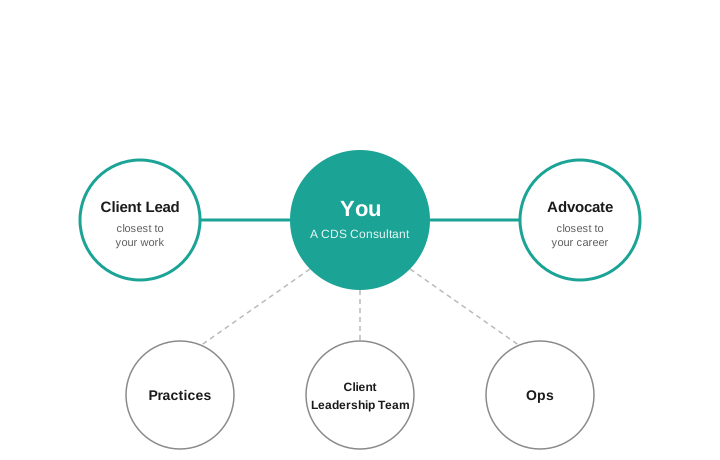
Closest to you
Your Client Lead is closest to your work. Your project, your client, your day-to-day. They catch up with you weekly — a short, regular chance to talk through what's on your mind, what you're stuck on, and what's coming up.
Your Advocate is closest to your career. The bigger picture, the longer horizon, the you-shaped questions about where you're heading and what you want to be better at. They meet you monthly. They stay with you when you move between accounts, so your career conversations have continuity.
Crucially, they're never the same person. Two perspectives, two doors.
The wider network
The closest support sits inside a wider network that comes in when you need it:
- Practices — your discipline's home. Your Practice Lead and the wider practice community are where you go for technical depth, bids, and thought leadership in your area.
- Client Leadership Team — the group accountable for the commercial and client relationship side of CDS, including your Account Owner. The route when something needs to be resolved above your Client Lead. See Account leadership for how this team works.
- Ops — the safety net. Pay, contracts, formal policy, wellbeing — anything that needs to sit outside the operational structure.
Why it works this way
A single line manager has to be everything to everyone — career coach, workload manager, sounding board, escalation route. That's a lot for one relationship to carry, and it leaves you with nowhere to go if it isn't working.
Spreading the load means each person can do one thing well. Client Leads focus on the work. Advocates focus on the longer-term you. You get multiple doors to walk through, depending on what's on your mind.
In this section
- Being a Client Lead — what it means to wear the hat
- Being an Advocate — what the role is and how it works
- Life at CDS — what working here is actually like
Interested in joining us? We'd love to hear from you — recruitment@cds.co.uk.
Being a Client Lead
Closest to the work — and to the people doing it.
What it is
The Client Lead supports a Consultant on day-to-day work matters. Project, client, workload, the team around them — and the small stuff that becomes big stuff if no one catches it.
It's the closest of the support roles, set by which account someone's working on. As accounts change, Client Leads change with them. The role typically sits with the Account Technical Lead (ATL) or Account Delivery Lead (ADL).
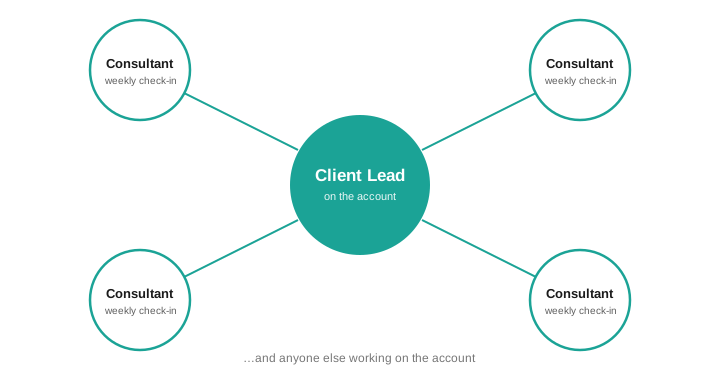
The role isn't a single 1:1 — your Client Lead can be the contact for many on the account.
What you actually do
- A weekly check-in with each person on your account. Short — around 15 minutes — longer if it's needed.
- Notice what's going well and say so. Notice what isn't and have the conversation early.
- Handle the operational rhythm: holiday, sickness cover, anything that affects the work or the client.
- Make sure they are actually ok, not just saying it.
- Own the formal review cycle for the people you lead — writing it, delivering it, coordinating 360 feedback.
- Loop in others when the conversation needs them — your Client Leadership Team for commercial questions, the Advocate for career ones, Ops for anything formal.
What good looks like
You know what's on each person's mind without them having to chase you. You catch the small stuff early — the tiredness, the friction with the client, the brilliant bit of work that deserves to be noticed. People feel they can be straight with you, and you're straight with them. The team performs because the people on it feel supported.
What it isn't
It isn't line management. It isn't career coaching — that's the Advocate's space. It isn't a status meeting in disguise. And it isn't something you carry alone — the rest of the network is there for the things that don't belong with you.
The honest bit
It's roughly 15–20 minutes per person, per week, plus admin. Review time is more. It's not huge, but it's regular — and the value comes from showing up consistently, not from heroics.
The behaviours it helps build — leadership, people-first mindset, open communication — are part of what we look for at Lead level and above. They're difficult to evidence without doing the work that comes with them.
Client Lead is a necessary role but if there is a strong concern that you're not the right person for someone, say so early so it can be discussed.
Read our people support network for how the Client Lead role sits alongside the Advocate and the wider support network.
Being an Advocate
Closest to the career — and to the person behind it.
What it is
The Advocate supports a Consultant on career matters — the bigger picture, the longer horizon, and the you-shaped questions that don't fit neatly into a project or an account.
Unlike the Client Lead, the Advocate is deliberately stable. They stay with the same person across account moves, so career conversations have continuity even when the work changes. The match is suggested by the Delivery Director or the Director of Technology & Strategy after a conversation about what someone is aiming for.
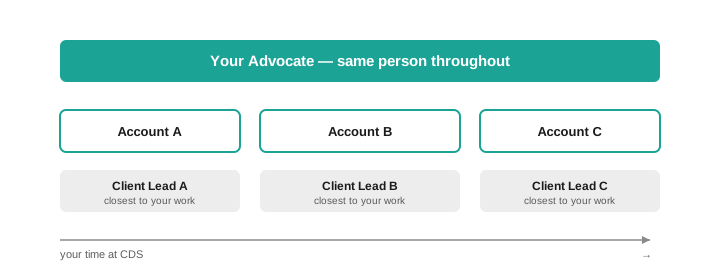
That continuity is the point. The Client Lead role rotates with the work; the Advocate doesn't.
What you actually do
- A monthly 1:1 with each Advocatee — around 45 minutes, set up to be their time, on their agenda.
- Help them think about where they're heading, what they want to be better at, and what's standing in the way.
- Be the door they can knock on when something doesn't feel right to raise with their Client Lead.
- Stay in touch with their Client Lead enough to know the context — without being in their day-to-day.
- Know when to bring others in: Ops for anything formal, your Practice Lead and the wider Practices for technical direction, the Client Lead when something operational needs joining up.
What good looks like
Your Advocatee leaves each conversation a bit clearer on what they want and what they're going to do about it. They bring real things to talk about, because they trust you with the messy ones too. You challenge them honestly when they need it, and back them publicly when they earn it. Over time, you're someone they'd choose to have in their corner — not just someone assigned to it.
What it isn't
It isn't line management. It isn't formally part of the review cycle — that's owned by the Client Lead. It isn't something you do to someone — it's something you do with them, on their agenda, not yours.
The honest bit
The first meeting is about an hour. After that it's 45 minutes a month. Not huge in time, but it depends on showing up consistently and listening properly.
The behaviours it helps build — leadership, people-first mindset, open communication — are part of what we look for at Lead level and above. They're difficult to evidence without doing the work that comes with them.
If a match isn't working from your side, you can say so. Stability is part of what makes the relationship valuable — but the right fit matters more than the longest tenure.
Read our people support network for how the Advocate role sits alongside the Client Lead and the wider support network.
Account Leadership
Account leadership
How CDS leads its client engagements — and who's accountable for what.
Every CDS client account has a small leadership team accountable for making it go well. Both the delivery and the relationship, together.
This section explains how that works: the three hats that make up the Client Leadership Team, what each one is responsible for, and how they operate together.
The three hats
Client accounts at CDS are led by a trio:
- Account Owner — accountable for the commercial and client relationship. The client's primary point of escalation, and the person responsible for keeping the account healthy over time.
- Account Delivery Lead — responsible for making the delivery work. Day-to-day team structure, delivery approach, stakeholder relationships on the ground.
- Account Technical Lead — responsible for technical quality. The solution is fit for purpose, the standards are right, and the team isn't heading somewhere it shouldn't be.
The three hats operate as a team, not a hierarchy. No single hat outranks the others — each owns a distinct piece of the picture, and the team works when all three are talking.
How hat combinations work
The right structure for an account depends on its size and complexity.
On large or complex accounts, three people wear three hats. Each role has enough scope to justify dedicated focus.
On medium accounts, two hats are typically combined — usually the Account Owner and Account Delivery Lead, worn by the same person alongside a separate Account Technical Lead.
On small accounts, one person may wear all three. That's a real ask, and worth being honest about — but it's the right structure for accounts where the scope and risk make it proportionate.
The combination can change as an account grows. What matters is that someone is clearly accountable for each piece, whatever the structure.
Not the same as Client Lead
It's worth being explicit about this, because the naming creates confusion.
The Client Leadership Team hats (Account Owner, Account Delivery Lead, Account Technical Lead) are about delivery and commercial accountability for the client engagement.
The Client Lead hat is different — it's a people support role, sitting with the Account Delivery Lead or Account Technical Lead on someone's primary account. It's about supporting the people on the team, not leading the account.
The same person often wears both — an Account Delivery Lead is typically also the Client Lead for the people on their account — but they're separate responsibilities. See our people support network for how the Client Lead role works.
In this section
- Being an Account Owner — commercial and relationship accountability
- Being an Account Delivery Lead — delivery accountability
- Being an Account Technical Lead — technical accountability
Being an Account Owner
The client relationship, the commercial health, and the big picture.
What it is
The Account Owner is accountable for the commercial and delivery success of a client account, and for making sure the client thinks well of CDS.
It's the hat with the longest horizon. While the Account Delivery Lead is focused on the current engagement and the Account Technical Lead is focused on technical quality, the Account Owner is thinking about the account as a whole: the relationship, the trajectory, the opportunity, and the risk.
The role is typically worn by an Account Manager.
What you actually do
- Build and maintain senior relationships within the client organisation: the people who make decisions, not just the people you work with day to day.
- Own the commercial side: Statements of Work, invoices, profitability, and making sure the account is on the right footing.
- Keep a clear account plan and communicate it internally: the Account Delivery Lead and Account Technical Lead should know where things stand.
- Run regular account reviews with the client. These aren't just status meetings. They're how you keep the relationship honest and the account healthy.
- Serve as the escalation point for client stakeholders when something needs to be resolved above the delivery level.
- Spot opportunities for the account to grow and work with the rest of the Client Leadership Team to realise them.
- Report internally on account health: delivery status, commercial position, client satisfaction.
What good looks like
The client trusts you. Not just with delivery updates, but with the harder conversations: when something isn't working, when they're about to make a decision that isn't in their interest, when they need someone to tell them the truth. You've built relationships wide enough that the account doesn't depend on a single sponsor. You know where the account is heading, and CDS knows too.
What it isn't
It isn't delivery management. That's the Account Delivery Lead's space. It isn't technical oversight. That's the Account Technical Lead's. And it isn't about protecting the commercial position at the expense of the client relationship. The two go together: accounts grow when clients trust us, and clients trust us when we're honest.
The honest bit
This is one of the more demanding hats. The commercial accountability is real: Statements of Work, margins, renewals. And so is the relationship pressure when something goes wrong on a delivery. The Account Owner doesn't always control what happens on the ground, but is accountable for how the client experiences it.
The behaviours it helps build are central to what we look for at Principal level and above: commercial and business acumen, leadership, client obsession, integrity.
Read account leadership for how the Account Owner hat works alongside the Account Delivery Lead and Account Technical Lead.
Being an Account Delivery Lead
Making the delivery work, for the client and for the team.
What it is
The Account Delivery Lead is responsible for the successful delivery of an engagement. That means the client gets what they need, the team has what it needs, and the two stay in sync throughout.
It's the hat that sits closest to the work day to day. While the Account Owner manages the relationship and the Account Technical Lead owns technical quality, the Account Delivery Lead is running the engine: structure, approach, pace, and the people on the ground.
The role is typically worn by a Delivery Manager.
What you actually do
- Own the day-to-day delivery: team structure, ways of working, pace, and the client's visibility into all of it.
- Make sure the delivery approach fits the engagement: not just CDS defaults, but the right methods and tools for this client and this work.
- Build strong working relationships with client stakeholders on the ground: the people you're delivering with, not just the people above them.
- Keep the team set up to succeed: the right people, a clear structure, and a culture that holds together under pressure.
- Identify delivery risks and blockers early and escalate to the Account Owner when they need client-level involvement.
- Work closely with the Account Technical Lead to make sure delivery plans and technical solutions are pulling in the same direction.
- Spot opportunities for the account to grow, and work with the Account Owner to act on them.
What good looks like
The client always knows where things stand. The team is performing and the people on it feel supported. Delivery risks surface early, not late. You've built the kind of relationship with client stakeholders where difficult conversations happen before they become crises, not after.
What it isn't
It isn't technical leadership. That's the Account Technical Lead's space. It isn't the primary client relationship at senior levels. That's the Account Owner's. And it isn't the same as the Client Lead hat, even though it's often worn by the same person. The Client Lead supports the people on the team; the Account Delivery Lead is accountable for the delivery itself.
The honest bit
The Account Delivery Lead is often carrying a lot at once: delivery accountability, client relationships, team culture, and, usually, the Client Lead responsibilities for the people on the account. That's a real load, especially when things aren't going smoothly.
The behaviours it helps build are central to what we look for at Lead level and above: leadership, client obsession, people-first mindset, adaptability.
Read account leadership for how the Account Delivery Lead hat works alongside the Account Owner and Account Technical Lead.
Being an Account Technical Lead
Technical quality, honest standards, and the solution that actually fits.
What it is
The Account Technical Lead is responsible for the technical quality of what CDS delivers for a client. The solution is fit for purpose. The standards are right. The team is building well, not just building fast.
While the Account Owner manages the relationship and the Account Delivery Lead runs the delivery, the Account Technical Lead is asking the harder technical questions, and making sure they get answered properly.
The role is typically worn by a Lead Engineer.
What you actually do
- Lead technical design: the choices that shape the solution, the architecture that has to hold up over time, and the tradeoffs worth making explicit.
- Make tool and technology choices, and make sure those choices are right for the client, not just comfortable for CDS.
- Run regular delivery quality assessments and flag where the bar isn't being met.
- Make sure test coverage is strong and modern: automation where it should be, not as an afterthought.
- Keep the team from gold-plating. High-quality delivery and over-engineered delivery aren't the same thing.
- Work closely with the Account Delivery Lead to make sure technical solutions and delivery plans are aligned.
- Escalate technical risks and blockers to the Account Owner when they need client-level visibility.
- Spot opportunities for the account to evolve technically, and work with the Account Owner to make the case.
What good looks like
The solution performs. The documentation is there when someone needs it. The team is building to a standard that CDS would be proud to have scrutinised. You're the person in the room who catches the decision that seems fine today but will hurt in six months, and you say something about it.
What it isn't
It isn't delivery management. That's the Account Delivery Lead's responsibility. It isn't a purely hands-on engineering role, though many Account Technical Leads are still writing code. And it isn't a veto on every technical decision: the team should be building their own judgement, with you setting the standard and stepping in when it matters.
The honest bit
The technical accountability is real. When something goes wrong with the solution, whether that's performance, reliability, or a design decision that didn't hold, this is the hat that owns it. That's a meaningful responsibility, and it means staying close enough to the work to actually know what's happening.
The behaviours it helps build are central to what we look for at Lead level and above: practitioner excellence, leadership, continuous improvement, client obsession.
Read account leadership for how the Account Technical Lead hat works alongside the Account Owner and Account Delivery Lead.
Practices
Practices
CDS has three practices: Engineering, Product Delivery, and QA. This section explains what practices are, why they exist, and how they work — and gives each practice a home to share its standards, approaches, and expertise.
What Is a Practice?
A practice is a cross-cutting community that spans all of CDS's client teams within a discipline. Practices are deliberately broad — designed to break down boundaries between related specialisms, not create new ones.
A practice is not a team. There is no membership, no application process, and no gatekeeping. Practices are a shared resource and a shared responsibility, open to everyone at CDS.
This is also why service management is not one of our practices. It is delivered by a dedicated Service Management team, an enabling team that runs managed services across clients, so it has its own section in this handbook.
Why Practices Exist
As a consultancy, our primary structure is the client team — the group of people deployed to deliver for a specific client. But client teams alone create a problem: without something running across them, knowledge stays siloed, standards diverge, and people develop in isolation.
Practices solve this by providing:
- Consistency — shared ways of working, standards, and expectations for what good looks like across all client engagements
- Knowledge sharing — a central place for resources, techniques, tools, and lessons learned that any consultant can access regardless of which client they work on
- Professional development — a home for growing skills, learning from peers, and staying current in your discipline
- External credibility — a vehicle for promoting CDS's capabilities through thought leadership, case studies, and community engagement
For CDS staff: the Skills Matrix
Professional development starts with seeing where you are. The CDS Skills Matrix lets you record and track your skills across disciplines. It's an internal tool — you'll need to sign in with your CDS account.
How They Work
Each practice is led by one or more Practice Leads. Every practice runs regular sessions — knowledge-sharing events, standards reviews, retrospectives — and maintains shared resources that all CDS consultants can draw on.
Practices are open to everyone at CDS. If you want to attend a session, use the resources, or contribute — you can. There are no artificial barriers.
That said, every consultant has a home practice — the one that aligns most closely with their primary discipline. Within that practice, expectations grow with seniority: from actively using standards and attending sessions at Associate level, through contributing and mentoring as a Lead, to shaping strategy and championing the discipline externally at Principal level.
Practices and Client Teams
Practices don't replace client teams — they strengthen them. Think of practices as the horizontal layer running across vertical client teams. An engineer on one client engagement and an engineer on a different engagement both draw from the same Engineering practice: its standards, its resources, its community.
Practice Leads work closely with delivery and technical leads on each account to ensure practice standards are reflected in client delivery.
In this handbook
Each practice section contains discipline-specific standards and techniques that go deeper than how we work — detailed tooling guidance, specific methodologies, and practice-owned resources that consultants on CDS engagements work from day to day.
Engineering
Engineering Practice
The Engineering practice spans all software engineering disciplines at CDS — from frontend and backend development through to architecture, cloud infrastructure, and technical leadership.
What This Practice Covers
Engineering at CDS is deliberately broad. It covers the full range of technical delivery: application development, cloud and infrastructure engineering, API design, DevOps practices, technical architecture, and the standards that underpin quality software. The practice does not draw hard lines between specialisms — whether you work in frontend, backend, platform, or anything in between, the Engineering practice serves you.
Standards and Ways of Working
The Engineering practice owns and maintains the technical standards CDS holds itself to across all client engagements. Several of these are documented in the handbook:
- Architecture — how we approach technical decision-making and system design
- Test Approach — our automation-first testing strategy and quality practices
- Accessibility — engineering for inclusive, accessible services
- Source Control & Delivery — our approach to source control, pipelines, and work management
- Agentic Engineering — how we use coding agents effectively and responsibly
- Claude Code — our approach to AI-assisted development
Development Pathways
The Engineering practice supports consultants in growing their technical skills throughout their careers at CDS — covering certifications, training, and the technical challenges and responsibilities that mark progression from Associate through to Principal level.
Development pathway details are maintained by the Engineering Practice Lead and will be published here.
Get Involved
Practice sessions are open to everyone at CDS — no invitation needed. You can also meet the Engineering Practice Lead. If you're a client or partner interested in our technical approach, our standards documentation above is a good starting point.

Jason Barron
Practice Lead, Engineering · he/him
Jason leads the Engineering practice. He has spent more than 27 years in technology, moving from hands-on software development into solution architecture and technical pre-sales. His aim as Practice Lead is a simple one: define what good looks like, make it repeatable, and develop the people who deliver it.
In Jason's words
I've been working in the software industry for nearly three decades, and the photo proves it's taken its toll! Over that period I've worked on some fantastic projects with a great team of people, and I'm looking forward to more of the same.
AI-assisted development has allowed me to get back 'on the tools' again, and I'm really interested to see how this shapes the industry over the next few years, once the hype settles down.
I enjoy solving problems and fixing things, and not just as part of the day job: rebuilding a Mk1 Golf GTI over 20 years, extensive DIY, all at the same time as parenting. As if I didn't have enough to do, I've also been coaching junior rugby union for eight years.
What Jason focuses on
- Setting and maintaining the engineering standards CDS teams work to across every client
- Building shared, reusable resources that teams actually use, from scoping templates to reference material
- Mentoring and developing engineers at every level
- Championing CDS's engineering capability with clients and in new work
Background
Jason's career spans web, cloud, low-code and network security platforms, much of it in demanding UK public sector environments across policing and defence where rigorous standards are not optional. More recently he has built the operating frameworks and shared resources that let a function work at scale.
Strengths
Solution architecture · Azure cloud · Cloudflare edge security and Zero Trust · scoping and estimating · mentoring and coaching
Certifications
Cloudflare Accredited Configuration Engineer (ACE) · Cloudflare One Advanced · Cloudflare Accredited Sales Engineer (ASE)
Get in touch
Engineering practice sessions are open to everyone at CDS. To join one, use the resources, or talk through anything engineering, reach Jason at jason.barron@cds.co.uk, or connect on LinkedIn.
Product Delivery
Product Delivery Practice
The Product Delivery practice covers how CDS plans, manages, and delivers work for clients — from product strategy and roadmapping through to agile delivery, stakeholder management, and project leadership.
What This Practice Covers
Product Delivery spans a broad range of disciplines: product management, delivery management, business analysis, agile coaching, and project leadership. Like all CDS practices, it is deliberately broad — its role is to share knowledge and raise standards across these disciplines, not to draw rigid boundaries between them.
The practice is concerned with how we work with clients to define what to build, how we organise and run delivery teams, and how we ensure that the work we deliver genuinely meets client and user needs.
Standards and Ways of Working
The Product Delivery practice maintains the approaches and standards that shape how CDS teams organise and run delivery across all client engagements. Key standards documented in the handbook:
- Delivery Approach — our end-to-end approach to delivering projects for clients
- Agile Practices — how we apply agile methodologies in practice, not just in theory
Development Pathways
The Product Delivery practice supports consultants in building capability across product, delivery, and business analysis disciplines — including guidance on relevant certifications, methodologies, and progression at each seniority level.
Development pathway details are maintained by the Product Delivery Practice Lead and will be published here.
Get Involved
Practice sessions are open to everyone at CDS. If you're interested in delivery approaches, product thinking, or agile practices — attend a session, use the resources, or meet the Practice Lead.

Lucy Preston
Practice Lead, Product Delivery · she/her
Lucy leads the Product Delivery practice. She is a delivery and operations leader who has spent her career building and running high-performing, cross-functional teams and getting complex technical projects over the line without losing sight of the people doing the work. She cares as much about team wellbeing and clear communication as she does about hitting the date.
In Lucy's words
I've worked in tech and digital for over 15 years now, always in the delivery space. What keeps me hooked is the problem-solving, pulling a team together around a shared goal and figuring out how to get there. I've spent a lot of time working with the public sector, and it's something I'm genuinely passionate about: building digital services that make everyday life a bit easier for the people using them, even if they never think about what's behind it.
Outside of work I'm Mum to two little girls, who keep me honest and motivated every day. My eldest has already decided she wants to do what Mummy does when she grows up, which might be the best compliment I've ever had.
What Lucy focuses on
- Setting the delivery standards and methodology CDS teams work to, and tailoring them to what each client actually needs
- Sharing what good delivery looks like across teams, from reporting and governance through to risk and dependency management
- Developing delivery people at every level through mentoring, coaching and honest feedback
- Championing CDS's delivery capability with clients and in new work
Background
Lucy has led delivery across both public and private sectors, most recently as a Principal Delivery and Operations Lead working with public sector and healthcare clients on electronic health record and interoperability projects. Along the way she has grown a multi-disciplinary team from eight to more than fifty-five people in six months, taken an NHS patient portal to beta six months ahead of schedule, and designed delivery methodologies that clients and colleagues adopted as their own. Earlier roles span product ownership in insurance and commercial and project management in telecoms.
Strengths
Programme and project delivery · delivery assurance and recovery · risk, dependency and escalation management · product ownership and roadmapping · stakeholder management and trusted-adviser conversations · coaching and developing people
Qualifications
PRINCE2 Practitioner · ITIL v3
Get in touch
Product Delivery practice sessions are open to everyone at CDS. To join one, use the resources, or talk through anything delivery, reach Lucy at lucy.preston@cds.co.uk, or connect on LinkedIn.
QA
QA Practice
The QA practice covers quality assurance, test engineering, and the broader discipline of building quality into everything CDS delivers — not as an afterthought, but as a core part of how we work.
What the practice covers
Quality assurance at CDS is not a phase at the end of delivery. It is a continuous, integrated discipline. The QA practice spans the full spectrum of quality engineering: test strategy and planning, automated testing at all layers of the stack, exploratory testing, performance, security, accessibility, and visual regression — and the cultural shift towards quality being a shared team responsibility rather than a dedicated function's concern.
The practice works closely with the Engineering practice to ensure quality is built in from the start rather than inspected in at the end.
Our approach
The QA practice's approach to testing is built on eight core principles — from automation-first and shift-left through to non-functional quality and shared team ownership. These are not aspirational statements; they are the standard we hold ourselves and our teams to on every engagement.
See Test Approach for the full detail.
Standards and techniques
The pages within this section go deeper into the specific practices that make up quality engineering at CDS: how we run exploratory testing sessions, how we approach test data at each layer of the test pyramid, and the tools we use across each area of testing and why. These are the practical standards a QA practitioner on a CDS engagement works from.
For accessibility standards, see Accessibility.
On client engagements
On every CDS engagement, the QA practice provides the standards, templates, and tooling guidance that the delivery team works from. From day one, a CDS tester is expected to establish or review the engagement testing strategy, assess the state of automation and pipeline coverage, agree the approach to exploratory testing, and ensure testing is integrated into the Definition of Done — not added at the end.
Development pathways
The QA practice supports consultants in building depth and breadth in quality engineering — from foundational testing skills through to test architecture, automation frameworks, and quality leadership.
Development pathway details are maintained by the QA Practice Lead and will be published here.
Get involved
Quality is a shared responsibility at CDS, which means QA practice sessions and resources are valuable across all disciplines. Everyone is welcome — whether you're a tester by profession or an engineer who wants to improve how your team approaches quality. You can also meet the QA Practice Leads.
QA Practice Leads
The QA practice is led by Sukhjinder Manak and Stephanie Spence. Between them they set the standard for how CDS builds quality into everything it delivers and support the QA community day to day. Practice sessions are open to everyone at CDS, so whether you're a tester by profession or just want to improve how your team approaches quality, either of them is a good person to talk to.
Sukhjinder Manak

Practice Lead, QA · she/her
Sukhjinder has spent eighteen years at CDS and built its QA practice from the ground up. She defined how CDS approaches testing, from the core principles through to the automation strategy, tooling standards and the templates teams use on every engagement. She pairs that with hands-on delivery, still writing automated tests in Playwright so her decisions stay grounded in real work.
In Sukhjinder's words
I've worked in testing for over a decade, and there's nothing I enjoy more than helping the team deliver applications we're proud of. I care about building a quality culture where everyone takes responsibility for the standard of what we ship.
Outside of work, I'm mum to a five-year-old who keeps me busy and active, and I love baking.
What Sukhjinder focuses on
- Owning the CDS testing and automation strategy, the core testing principles and the tooling standards
- Keeping those standards practical and current, grounded in her own hands-on delivery
- Running the QA practice community and its monthly sessions
- Developing QA practitioners and building leadership within the team
Background
Across eighteen years at CDS, Sukhjinder has led testing on complex public and private sector programmes, including national-scale digital policing platforms, growing from test analyst to the person who defines quality across the business. She also contributes to bids and shapes how CDS articulates its approach to quality for prospective clients.
Strengths
Test strategy and coverage · exploratory testing · defect management · test metrics and reporting · Playwright automation · mentoring and developing testers
Certifications
ISTQB Advanced Level Test Manager (CTAL) · ISTQB Agile Tester · ITIL Foundation · ILM Leadership and Management
Get in touch
Reach Sukhjinder at sukhjinder.manak@cds.co.uk, or connect on LinkedIn.
Stephanie Spence

Practice Lead, QA · she/her
Stephanie is a QA leader with more than a decade of experience shaping quality on complex, high-stakes programmes, including national-scale digital platforms for UK policing. She has spent most of her career at CDS, moving from test analyst to leading quality on client engagements and now co-leading the practice, and she brings a consultancy mindset that spans delivery, product and technical domains.
In Stephanie's words
I'm Steph, and I came straight into the world of QA after graduating from university. I've enjoyed it so much that, over the past 12 years, I've actually had the pleasure of working for CDS twice!
I genuinely love what I do, and I know how lucky I am to be able to say that. Over the last decade I've had the opportunity to work on some incredibly rewarding projects, learn from some brilliant people, and develop not only my skills and knowledge of the industry but also a much better understanding of myself along the way.
Outside of work, I'm a very busy mum to a seven-year-old and a very demanding (but very fluffy) kitten. When I'm not working or parenting, you'll probably find me either at the gym or in the pub. It's all about balance.
What Stephanie focuses on
- Setting test strategy and embedding quality throughout the delivery lifecycle
- Championing shift-left and agile testing on engagements
- Communicating quality and risk clearly to both technical and senior stakeholders
- Mentoring and coaching testers and strengthening team capability
Background
Stephanie has delivered end-to-end testing on national policing platforms and a range of public and private sector programmes, increasing automation coverage and raising testing standards along the way. She contributes to pre-sales and proposals, and has delivered system training directly to client teams.
Strengths
Test strategy and coverage · exploratory testing · accessibility testing · visual regression · defect management · coaching and developing testers
Certifications
ISTQB Certified Tester Foundation Level (CTFL) · BCS Agile Foundation · BSc (Hons) Computing and Engineering, First Class
Get in touch
Reach Stephanie at stephanie.spence@cds.co.uk, or connect on LinkedIn.
Exploratory Testing
Automated tests are essential — but they can only catch what you tell them to look for. Exploratory testing is how we find what we did not think to specify: the unexpected behaviour, the usability issue, the edge case that only becomes obvious when a real person navigates through the application with intent.
At CDS, exploratory testing is a disciplined, structured activity — not a synonym for clicking around. It complements the automated suite rather than substituting for it.
What exploratory testing is
Exploratory testing means simultaneously designing and executing tests based on what you discover as you go. Unlike scripted testing — where test cases are defined upfront and followed step by step — exploratory testing uses the tester's skill, curiosity, and experience to investigate the system.
It is most effective at finding:
- Edge cases that scripted tests were never designed to reach
- Usability and UX issues that automation cannot assess
- Inconsistent behaviour across flows that look unrelated on paper
- Failures that only emerge from realistic, non-linear user journeys
- Risks in areas that are under-specified or recently changed
How we run exploratory testing sessions
Charter-based
Every exploratory testing session at CDS is charter-based. A charter defines the focus and goal of the session before it starts — for example:
"Explore the checkout flow under different payment methods to identify edge cases and error handling gaps."
A good charter is specific enough to focus the session but broad enough to allow discovery. It prevents sessions drifting into unfocused clicking while still leaving room for the tester to follow their instincts.
Time-boxed
Sessions are time-boxed — typically 60 to 90 minutes. This keeps exploratory testing a regular, manageable practice rather than an open-ended activity that expands to fill available time. Multiple shorter sessions across a sprint are more effective than one long session before release.
Documented findings
Findings from each session are categorised and documented:
- Bug — a confirmed defect, raised as a bug work item in Azure DevOps and linked to the session
- Observation — something worth noting that may not be a defect: a usability concern, an inconsistency, or unexpected behaviour that warrants team discussion
- Risk — an area that could not be fully explored in this session but warrants further investigation
The session itself — including the charter, areas covered, findings, and areas not covered — is recorded as a task in Azure DevOps, linked to the relevant story and any bugs raised. This creates a traceable record of exploratory testing activity alongside the rest of the delivery work.
The relationship with automation
Exploratory testing and automation are complementary, not competing:
- Automation handles the repetitive, the predictable, and the high-volume — regression checks, pipeline validation, known risk areas
- Exploratory testing handles the novel, the ambiguous, and the human — what the application feels like to use, where the unexpected corners are, what scripted tests would never reach
A strong testing strategy uses both. Automation gives the team continuous, fast feedback on what is known. Exploratory testing gives skilled testers the space to find what is not yet known. Neither replaces the other.
Cadence
Exploratory testing sessions are agreed with the team at the start of an engagement and scheduled throughout delivery — not saved for a pre-release testing phase. The appropriate frequency depends on the pace of change and the risk profile of the work in each sprint.
Where a sprint introduces significant new functionality or changes to high-risk areas, exploratory testing should be prioritised accordingly.
Test Data
How you manage test data has a direct impact on the reliability, maintainability, and speed of your test suite. CDS's approach is built around one core principle: push data complexity down the test pyramid.
The further down the pyramid you can validate a behaviour, the more control you have over the data — and the less the suite needs to rely on complex setup at higher layers.
Mocking and stubbing
At unit and integration level, mocking and stubbing are the preferred approach. Rather than relying on real data from a database or external service, mocks and stubs replace dependencies with controlled, predictable substitutes.
This makes tests faster, more reliable, and easier to reason about. A unit test that calls a real database is slower, more fragile, and harder to run in isolation. A unit test that uses a stub returns a predictable value in milliseconds.
The more scenarios that can be validated through mocking at lower pyramid layers, the less the suite needs to rely on complex data setup at end-to-end level. This is a deliberate design principle, not a convenience.
| Language | Preferred tool | Alternative |
|---|---|---|
| JavaScript / TypeScript | Jest mocks (built-in) | Sinon.js |
| .NET | Moq | NSubstitute |
| Python | unittest.mock (built-in) | — |
| Java | Mockito | — |
For API-level mocking — where a real external service is unavailable or unreliable in the test environment — WireMock is the recommended choice across languages. It allows HTTP services to be stubbed and verified, and is well-suited to integration and API testing where third-party dependencies cannot be controlled.
Fake data generation
Where test data needs to be created programmatically rather than mocked, we use language-appropriate Faker libraries. Faker generates realistic, varied data — names, addresses, emails, phone numbers — reducing the need for hardcoded values and making tests easier to maintain.
| Language | Tool | Notes |
|---|---|---|
| JavaScript / TypeScript | Faker.js | |
| .NET (C#) | Bogus | |
| Python | Faker | |
| Python | factory_boy | Approved alternative — useful for generating complex, related data objects rather than simple field values (e.g. a user with associated orders and addresses) |
Note
Faker generates random data on each run. Always log or capture generated values when a test fails so the failure can be reproduced.
Data seeding
Data seeding — pre-populating a database or environment with a known set of data before tests run — should be treated as a last resort.
Seeding introduces environment dependency, makes tests harder to run in isolation, and creates maintenance overhead as the data model evolves. Before reaching for a seed script, the question to ask is: can this scenario be covered at a lower pyramid layer with mocks or generated data instead?
Where data seeding is genuinely necessary — for example, in end-to-end tests that require a realistic dataset in a test environment — seed scripts must be:
- Version-controlled alongside the application code
- Idempotent — safe to run multiple times without duplicating data
- Minimal — scoped to the exact data the tests require, nothing more
Seed scripts that are not idempotent or that accumulate state over time become a source of test instability. They are a cost that must be actively managed, not ignored.
Testing Tools and Techniques
CDS takes a principled approach to tooling: we maintain preferred defaults across all engagements, but these are starting points rather than mandates. The right tool for the engagement always wins over the most familiar one.
This page documents the tools we use across each area of testing, with the rationale behind each choice.
Unit testing
Unit tests are a developer responsibility — the test team's role is awareness and alignment to ensure unit testing is in place as part of the Definition of Done. Framework selection is based on the language in use on the engagement. Consistency within an engagement matters more than which framework is chosen — mixing frameworks on a single project adds unnecessary complexity.
| Language | Primary tool | Alternative |
|---|---|---|
| .NET | xUnit (new projects) or NUnit (existing) | MSTest |
| JavaScript / TypeScript | Jest | Vitest (for Vite-based projects) |
| Java | JUnit 5 | TestNG |
| Python | pytest | unittest |
API and contract testing
API testing
Postman and Newman are the CDS default for API testing. Postman is used for collection authoring and management; Newman runs collections in CI/CD pipelines. Collections are versioned in source control alongside application code.
Contract testing
Contract testing validates that the interface between services remains compatible as each evolves independently. Pact is the CDS standard for consumer-driven contract testing, supporting JavaScript/TypeScript, .NET, and Python.
Where a full contract testing framework is not required, Postman supports lightweight contract validation via OpenAPI/Swagger spec validation — asserting that API responses conform to a defined schema.
On Java and Spring engagements, Spring Cloud Contract is an approved alternative to Pact.
End-to-end and browser automation
Playwright is the CDS standard for browser-based end-to-end testing. It is cross-browser, actively maintained, and designed for reliability — with auto-waiting, network interception, and strong TypeScript support.
End-to-end tests are expensive to maintain. We focus them on critical user journeys rather than exhaustive permutation coverage. The instinct to reach for a UI test should always prompt the question: can the underlying logic be covered at unit or API level instead, with the E2E test reserved for the journey validation only?
Cypress is an approved alternative to Playwright where it is already established on an engagement, though its cross-browser support is more limited. Selenium is not an appropriate default and requires a business case — it is only considered where a specific legacy or client constraint prevents use of Playwright.
For manual cross-browser and device testing, we use BrowserStack Live — providing access to real browsers and devices without local installation.
Performance testing
k6 is the CDS default for performance and load testing. It uses JavaScript-based scripting, integrates cleanly with Azure DevOps pipelines, and produces clear, actionable output.
Performance testing is established early in each engagement — not reserved for pre-go-live. Initial baselines are set against the staging environment once it is stable, and load tests run post-merge throughout delivery so that degradation is caught incrementally rather than discovered in production.
| Tool | When to use |
|---|---|
| k6 | Default for all new engagements |
| JMeter | Where the team has existing JMeter expertise or a GUI-based authoring approach is required |
| Locust | On Python-heavy engagements or where existing Locust expertise exists |
Accessibility testing
Accessibility testing combines automated pipeline checks with manual auditing. Automated tools catch a defined subset of WCAG violations — manual testing is required to cover what automation cannot: keyboard navigation, screen reader behaviour, and contextual judgement.
WCAG 2.2 Level AA is the default minimum standard on every CDS engagement with a user interface.
Automated
axe-core via Playwright is the CDS default. Accessibility checks run as part of the existing end-to-end suite — no additional pipeline stage required. Critical and serious violations fail the build.
Where Playwright is not in use, Lighthouse CLI is an approved alternative. It integrates directly into CI/CD pipelines as a standalone tool, produces structured reports, and covers WCAG 2.1 and 2.2 A and AA criteria.
Manual tooling
| Purpose | Tool |
|---|---|
| Screen reader (Windows) | NVDA |
| Screen reader (Windows — alternative) | Narrator (built-in, no installation required) |
| Screen reader (macOS / iOS) | VoiceOver |
| Screen reader (Android) | TalkBack |
| Colour contrast | WebAIM Contrast Checker |
| Browser inspection | axe DevTools extension, Chrome DevTools Accessibility Panel |
| Heading structure | HeadingsMap browser extension |
Screen reader testing covers at minimum NVDA on Windows and VoiceOver on macOS. Mobile screen reader testing is conducted where the engagement has a mobile audience.
Security testing
Security testing covers three layers: static analysis, dynamic analysis, and dependency scanning. Tooling is confirmed per engagement in the engagement testing strategy.
| Type | Tool | Notes |
|---|---|---|
| SAST (static analysis) | SonarCloud | Runs on every PR and build |
| SAST (alternative) | Semgrep | Open source, free tier available |
| SAST (alternative) | SonarQube | Self-hosted alternative to SonarCloud — appropriate where data residency or client constraints prevent use of a cloud-hosted tool |
| DAST (dynamic analysis) | OWASP ZAP | Open source, runs nightly against staging |
| DAST (alternative) | Burp Suite | Industry standard for DAST and manual penetration testing — requires a business case and cost approval due to licence cost |
| Dependency scanning | Dependabot (GitHub) or Snyk (ADO) | Automated, continuous |
The OWASP Top 10 is the baseline for vulnerability classification across all engagements.
Visual regression testing
Visual regression testing detects unintended visual changes between builds. Playwright's built-in visual comparison capability is the CDS default — baseline screenshots are stored in version control and updated intentionally via a reviewed pull request when UI changes are approved.
Visual regression carries a real maintenance cost: pixel-level comparisons are sensitive to minor rendering differences and can generate noise if not carefully managed. It is applied selectively to the highest-risk UI components rather than used as blanket coverage of every page.
AI-assisted testing
AI tooling is used to accelerate testing workflows — scaffolding test frameworks, generating test cases, writing and reviewing automation code, and documentation support. All AI-generated output is reviewed by a practitioner before use.
- Claude Code — used for automation code authoring, test case generation, and test documentation
- Microsoft Copilot — useful for documentation support and test planning within the Microsoft 365 ecosystem
See Agentic Engineering for more on how CDS uses AI tools across delivery.
Service Management
Service Management
Service Management is how CDS runs the services it delivers. It is a dedicated, shared team that operates managed services for clients on Run engagements, and it is one of the ways CDS delivers rather than a discipline community. That distinction matters, which is why service management has its own section here rather than sitting among the practices.
An enabling team, not a practice
CDS's practices (Engineering, Product Delivery and QA) are cross-cutting communities. There is no membership and no team; they exist to share standards and knowledge that make every client team stronger. Service Management is different. It is an actual team that runs services across many clients at once, and its standards, improvement and delivery all live in one place. One team, many clients.
How it fits
- It owns day-to-day second line service management for managed-service clients, covering incident, request, change and problem management against agreed SLAs, and manages the interface to client-facing teams for third line.
- Every managed-service client has an Account Owner outside the team, and Service Management works to that account leadership for client direction and priorities.
- It defines what good service management looks like at CDS, the processes, tooling and ways of working, and applies that consistently across every client, working to ISO/IEC 20000-1:2018.
- Continual service improvement is core to the remit, and the team learns across clients and feeds that insight back into how CDS delivers.
Going deeper
The Operating Model page sets out how the managed service actually works day to day, from ITIL mechanics through to service transition. The team is led by Aimee Collier, our Lead Service Management Consultant.
Operating Model
CDS runs a managed service built on ITIL best practice and certified to ISO/IEC 20000-1:2018. This page describes how it works — the operating model, the principles behind it, and what that means for consultants working on Run engagements.
The operating model
CDS's managed service is 2nd and 3rd line. We are not a volume call-handling contact centre. We are a skilled application support function: engineers who understand the platform, the integrations, and the failure modes. When a ticket comes in, the team triages it against impact and urgency, applies the correct priority, investigates with genuine technical depth, and resolves or escalates appropriately.
Clients who need first-line volume call-handling should have that in place separately. What CDS provides is the expert layer: skilled triage, application-layer support, technical resolution, and management of third-party vendor relationships where those vendors are part of the support chain.
ITIL as the operating standard
The Service Management team runs on ITIL best practice — not as a badge, but as the actual mechanics of daily work:
Incident management — every incident gets a unique reference, a priority based on impact and urgency, and active management to resolution. Priority levels and response/resolution targets are defined in the client's service agreement.
Problem management — root cause investigation of repeat incidents to eliminate underlying causes, not just resolve symptoms. Problem records are maintained separately from incident records.
Change management — all changes to production environments go through a formal Change Advisory Board (CAB). Changes are classified by risk and impact; emergency change procedures exist for critical fixes.
Release management — planned releases coordinated with change management. Release windows agreed with clients; rollback procedures defined before deployment.
Service delivery management — Service Delivery Managers own the client relationship, service level compliance, and continual service improvement. Service reviews are held on a cadence determined by the service tier.
Proactive, not just reactive
Good managed service reduces incident frequency; it doesn't just respond to incidents. CDS's approach is proactive by design:
- Event monitoring to detect deviations from baseline before they become incidents
- Vulnerability scanning on a defined cadence
- Dependency management — keeping platform components current to reduce security exposure
- Continual service improvement reviews to drive ongoing optimisation, not just maintenance
For Cloudflare engagements specifically, this includes ongoing WAF rule updates, configuration tuning, and performance optimisation as part of the managed service — not billable extras.
Service transition
Every Run engagement begins with a structured service transition. Whether CDS built the service or is taking it on from another provider, transition establishes the operating baseline: documentation, configuration records, known issues, monitoring thresholds, runbooks, escalation paths, and stakeholder contacts.
Service transition done well means the first incident on live service is handled with the same rigour as the hundredth. The transition plan is agreed at the start of the engagement, not assembled at the end.
The institutional knowledge advantage
The best Run engagements are the ones where CDS built the service. The team that built it understands what it does under load, how the integrations behave, where the failure modes are. That knowledge is genuinely hard to replicate with a new support team and it's a meaningful differentiator when CDS is both delivery partner and run partner.
This isn't always the case — CDS also takes on managed service for platforms built by others — but it shapes how we think about the Build-to-Run transition and why we invest in knowledge transfer during delivery.
Certifications
| Certification | Relevance |
|---|---|
| ISO/IEC 20000-1:2018 | IT service management — the primary operating standard for all Run engagements |
| ITIL | Service delivery team is ITIL-certified; underpins all service management processes |
| ISO 27001 | Information security management — relevant to all Run engagements handling client data |
| ISO 22301 | Business continuity — directly relevant to the uptime commitments Run engagements carry |
| ISO 9001 | Quality management |
Related pages
- Cloudflare — Cloudflare-specific managed service and IaC estate management
- Infrastructure as Code — how IaC underpins operational reliability
- Security — the security standards applied across all engagements

Aimee Collier
Lead Service Management Consultant · she/her
Aimee leads CDS's Service Management team, the enabling team that runs managed services for clients on Run engagements. A service manager with more than nine years in the discipline, she owns how CDS delivers service management day to day and the standards that keep it consistent across every client.
In Aimee's words
I've been with CDS since 2014 and have had the great opportunity to work with some amazing companies that are really making a difference to the public's safety, security and wellbeing, which really supports the Simon Sinek "Find your why"! I'm really passionate about how we can all work together and bring that #OneCDS to life, ensuring we break down any blockers and provide the best service we can to our clients.
Outside of CDS you'll find me watching Formula 1. Just don't get me started on Abu Dhabi 2021!
What Aimee focuses on
- Leading the Service Delivery Management function day to day, and owning SLA performance across managed-service clients
- Leading the response to major incidents on high-profile services
- Maintaining CDS's ISO/IEC 20000-1:2018 certification, including the processes, the audits and the evidence behind it
- Managing suppliers and third parties in the support chain, and developing the team
Background
Aimee has spent her CDS career in service management, growing from analyst to leading the function, across public sector clients including policing and defence and private sector clients in areas such as financial services and travel. She has played a central role in achieving and maintaining CDS's ISO/IEC 20000-1:2018 certification, leading process design and supporting external BSI audits as a subject matter expert. She is ITIL-trained across v3 and v4.
Strengths
Incident and major incident management · problem management · service level management · continual service improvement · ISO/IEC 20000-1:2018 governance and auditing · supplier management · developing the team
Get in touch
Service Management runs across every Run engagement. To talk about managed service, service transition, or anything service management, reach Aimee at aimee.collier@cds.co.uk.
Tools & Technologies
Tools & Technologies
We pick the right tool for the situation rather than enforcing a fixed stack. That said, these are the tools and technologies we have deep experience with, use regularly across client engagements, and are confident recommending. Technology Approach gives an overview of where our deepest expertise lies and how we choose technology for an engagement.
Where we have strong opinions about how something should be done — our approach to source control and delivery pipelines, for example — you'll find the standards and the reasoning behind them. Where we're advocating something newer, like agentic engineering, you'll find our thinking on where it fits and how to use it well.
Technology Approach
CDS is tech-agnostic at the engagement level. We engage with the client's problem first, then bring the right technology. We don't lead with a stack and work backwards to a problem.
But tech-agnostic doesn't mean we have no opinions. Where we have deep expertise — accumulated through years of real delivery at national scale — we bring that depth with confidence. We are tech-agnostic where it serves the client, and deeply opinionated where it serves the outcome.
Where we have the deepest expertise
Cloudflare is our most significant area of technical depth. We are the first organisation in EMEA to hold Cloudflare Authorised Service Delivery Partner status and the most certified Cloudflare partner in EMEA — a position built on a substantial body of real delivery work, not a partner programme membership. Our Cloudflare capability spans the full stack: edge security, WAF, DDoS protection, Zero Trust network access, and the Developer Platform (Workers, Pages, R2, D1, Workers AI). See the Cloudflare page for how we work with it in practice.
Appian is our primary case management and process automation platform. We have delivered Appian at scale for national regulatory bodies — including a platform serving 96,000+ regulated professionals. We are an Appian delivery partner with named-account experience at scale.
CMS-led delivery on Optimizely and Umbraco at national scale. Platforms we've delivered include a national policing service used across 43 forces, a high-traffic national rail information service sustaining 10 million daily requests, a financial regulator's rulebook platform, and a major asset manager's client portal.
Azure for cloud migration and run at high-stakes scale. Proven across central government and regulated environments, including complex migrations where downtime was not an option.
Across the broader stack
Beyond our deepest partnerships, CDS has strong delivery capability across the platforms our clients use. AWS at extreme scale — a national rail information service sustaining 10 million daily requests at 99.99% availability. AI-enabled applications, with working proof-of-concepts in production on the Cloudflare AI stack. AI-assisted development embedded across our engineering teams as standard practice.
The technology choices on any given engagement are driven by what genuinely serves the client's situation — their existing estate, their team's capability, their regulatory context, and their long-term ownership needs. We will recommend against our own preferred stack if it isn't the right answer. And if we ever feel the need to force a technology into a solution where it doesn't belong, we've already gone wrong.
Technology partners
| Partner | Area |
|---|---|
| Cloudflare | Edge security, ZTNA, Developer Platform — first EMEA ASDP and ZTNA ASDP |
| Appian | Case management and process automation |
| Optimizely | CMS-led platform delivery at national scale |
| Umbraco | CMS-led platform delivery at national scale |
| Microsoft Azure | Cloud migration, hosting, and run |
Source Control & Delivery
Good engineering discipline doesn't depend on any particular platform. Our standards for source control, CI/CD, and work management are platform-agnostic — they apply whether we're working in Azure DevOps, GitHub, GitLab, or anything else a client uses.
That said, Azure DevOps (ADO) is our internal default. We use it for CDS's own work and bring it to engagements where the client has no existing preference. If a client is already on a different platform, we work within that ecosystem rather than asking them to change.
Source control
We follow trunk-based development across all engagements:
main(ormaster) is the primary branch and is always in a deployable state- Work happens on short-lived feature branches — typically merged within a day or two
- Every merge goes through a pull request with at least one approval
- Branch policies enforce that the build passes before a PR can be merged
Long-lived feature branches are a sign that something has gone wrong — either the work hasn't been broken down small enough, or there's a risk of a painful merge later. We address that at the planning stage, not the branching stage.
CI/CD pipelines
Pipelines are defined as code, checked into the repository alongside the application they build. Never configured through a UI that nobody can see or version-control.
Every project has, at minimum:
- A PR pipeline — runs on every pull request: compile, lint, unit tests, and any fast automated checks. A failing PR pipeline blocks the merge.
- A deployment pipeline — triggers on merge to
mainand deploys to the target environment. This is where slower checks run: integration tests, accessibility checks, security scanning.
Pipelines are the enforcement mechanism for quality. If it's important enough to care about, it should be in the pipeline — not a manual checklist.
Work and team management
We use a lightweight board-based approach to managing delivery work. The goal is visibility and flow, not process overhead.
A typical board has four columns: Backlog → In Progress → In Review → Done. Work items are small enough that things move through the board within a sprint rather than sitting in one column for weeks. If a ticket has been in progress for more than a few days without moving, that's a signal to the team — not an accepted state.
We run sprints or kanban depending on the nature of the engagement and the client's preference. Sprints work well for structured delivery phases with clear commitments. Kanban works better for support, continuous improvement, or engagements where priorities shift frequently. We don't force a methodology that doesn't fit.
Platform flexibility
Our standards above apply regardless of the platform. What changes between platforms is syntax and tooling, not principle.
| Platform | Source control | Pipelines | Boards |
|---|---|---|---|
| Azure DevOps | ADO Repos | ADO Pipelines (YAML) | ADO Boards |
| GitHub | GitHub | GitHub Actions | GitHub Projects |
| GitLab | GitLab | GitLab CI/CD | GitLab Issues |
If a client is on a platform we haven't listed, we'll work within it. The engineering disciplines — trunk-based development, pipeline-as-code, small work items, fast feedback — transfer everywhere.
Claude Code
Claude Code is a command-line tool from Anthropic that allows developers to delegate coding tasks to Claude directly from their terminal. At CDS, we use Claude Code as a core part of our development workflow.
Why we use it
Claude Code allows us to work faster without sacrificing quality. It's particularly effective for:
- Scaffolding projects — generating boilerplate, configuration files, and folder structures
- Writing and editing content — such as the Markdown pages in this very handbook
- Code generation and refactoring — writing implementations from requirements, modernising legacy code
- Debugging — explaining errors, suggesting fixes, and working through complex issues
- Documentation — generating READMEs, ADRs, and inline documentation
- Testing — writing test suites, generating test cases, and running tests to verify changes
- Exploratory prototyping — quickly proving out technical approaches before committing to them
Setting up a project for success
Use CLAUDE.md files
Every repository should include a CLAUDE.md file at the root. This gives Claude Code the context it needs about the project — tech stack, conventions, folder structure, build commands, and any specific instructions.
A good CLAUDE.md file includes:
- Project overview — what it is, what it does, who it's for
- Tech stack — languages, frameworks, key dependencies
- Repository structure — where things live and why
- Build and test commands — how to install, build, run, and test
- Conventions — naming, branching strategy, coding standards, PR expectations
- Things to avoid — common mistakes, restricted features, known pitfalls
This handbook's own CLAUDE.md is a working example of the approach. It saves time on every session because the agent starts with full context instead of having to discover it.
As your project evolves, keep the CLAUDE.md file current. Outdated instructions are worse than no instructions — they'll actively steer the agent in the wrong direction.
First run the tests
Any time you start a new session against an existing project, begin with:
Run the tests
These three words serve several purposes:
- Discovery — the agent finds the test suite and learns how to run it, making it almost certain to run tests again later to check its own work.
- Scale — test harnesses report how many tests exist, giving the agent a sense of the project's size and complexity.
- Mindset — having run the tests, the agent naturally tends to write and extend tests for its own changes.
This is a small habit with outsized impact. It sets the tone for the entire session.
Working effectively with Claude Code
Be specific with your prompts
The more context you give, the better the output. Include details about the tech stack, coding standards, and the specific outcome you want. A vague prompt produces vague code.
Instead of:
Add a search feature
Try:
Add full-text search to the products API endpoint using the existing ElasticSearch service. Follow the same patterns used in the orders search endpoint. Include unit tests.
Use red/green TDD
Test-driven development is a natural fit for coding agents. The pattern is simple:
- Write the tests first — describe the behaviour you want and have the agent write failing tests
- Confirm they fail (red) — this proves the tests are actually exercising something new
- Implement the code to make them pass (green) — the agent iterates until the tests go green
This approach protects against two common agent mistakes: writing code that doesn't work, and writing code that's unnecessary. It also builds a regression suite that catches future breakages.
Every good model understands "use red/green TDD" as shorthand for this entire discipline. It's a powerful four-word instruction.
Have the agent test its own work
Automated tests aren't the only form of verification. Have the agent manually exercise the code it's written:
- For APIs: have it make
curlrequests against the running service - For libraries: have it write and run small scripts that import and use the code
- For web UIs: have it use browser automation tools like Playwright to interact with the interface
Issues found through manual testing should then be fixed using red/green TDD, so they end up covered by the permanent test suite.
Iterate
Don't expect perfection on the first pass. Use Claude Code iteratively: generate, review, refine. This mirrors how we work as engineers anyway. If something isn't right, describe what's wrong and let the agent correct it.
Keep changes small
Agents can produce a lot of code quickly. Resist the temptation to let a single session grow into a massive changeset. Smaller, focused changes are easier to review, easier to test, and easier to revert if something goes wrong.
If a task is large, break it into stages. Have the agent work through them one at a time, verifying each step before moving on.
Review everything
Claude Code is a tool, not a replacement for engineering judgement. Always review generated code before committing. Treat it like a pull request from a colleague — it needs the same scrutiny.
Watch for:
- Hallucinated APIs or methods — the agent may reference functions or libraries that don't exist
- Subtle logic errors — code that looks plausible but doesn't handle edge cases correctly
- Security issues — injection vulnerabilities, exposed secrets, overly permissive configurations
- Over-engineering — unnecessary abstractions, unused code, features you didn't ask for
- Style drift — code that doesn't match the project's existing conventions
The agent produces code quickly. Use the time you've saved to review it thoroughly.
Getting started
If you're new to Claude Code, install it via npm: npm install -g @anthropic-ai/claude-code. You'll need a valid API key or Anthropic account to authenticate. Run claude in any repository to start a session.
Agentic Engineering
Coding agents — tools like Claude Code that can read, write, and execute code autonomously — are changing how software gets built. At CDS, we use these tools daily. This page captures the practices and disciplines we've adopted to get the most from them without sacrificing quality.
The core insight is straightforward: writing code is cheap now, but delivering good code is not. Agents can produce hundreds of lines in minutes, but the responsibility for correctness, clarity, and maintainability still sits with us. The patterns below help us bridge that gap.
Good code still has a cost
Agents dramatically reduce the cost of typing code into a computer. They do not reduce the cost of ensuring that code is worth keeping. Good code:
- Works correctly and handles error cases gracefully
- Solves the right problem, not just a problem
- Is protected by tests that catch regressions
- Is simple and minimal — does only what's needed
- Has documentation that reflects the current state of the system
- Meets non-functional requirements: security, accessibility, performance, maintainability
Every line an agent writes still needs a human to confirm it meets these standards. The speed of generation makes this discipline more important, not less.
Don't inflict unreviewed code on colleagues
This is the single most important rule for teams using coding agents.
Do not submit pull requests with code you haven't reviewed yourself.
If you open a PR with hundreds of lines that an agent produced and you haven't verified it works, you're delegating the actual work to your reviewers. They could have prompted the agent themselves — what value are you providing?
A good agentic engineering pull request:
- Works, and you're confident it works. You've run it, tested it, and verified the behaviour yourself.
- Is small enough to review efficiently. Several small PRs are better than one large one. Agents make splitting work into separate commits straightforward.
- Includes context. What's the goal? Link to relevant work items or specifications. Explain implementation choices that aren't obvious.
- Has a description you've actually read. Agents write convincing-looking PR descriptions. Review these too — it's disrespectful to expect someone to read text you haven't validated yourself.
Include evidence that you've done the work: notes on how you tested it, comments on specific decisions, screenshots, or a short video of the feature working. This goes a long way to showing reviewers that their time won't be wasted.
Use agents to pay down technical debt
A common category of technical debt is changes that are simple but time-consuming:
- An API design that doesn't cover an important case, requiring changes in dozens of places
- A naming decision made early on that's now confusing but too tedious to fix everywhere
- Duplicate functionality that's grown organically and needs consolidating
- A file that's grown to several thousand lines and needs splitting into modules
These refactoring tasks are an ideal application of coding agents. Fire up an agent, describe the change, and let it work through the codebase. Evaluate the result in a PR. If it's good, land it. If it's close, prompt further. If it's poor, discard it.
The cost of these improvements has dropped so far that we can afford a much lower tolerance for code smells and inconsistencies than we could before.
Exploratory prototyping
Any software development task comes with multiple approaches. Some of the most costly technical debt comes from making poor choices at the planning stage — missing an obvious solution or picking a technology that turns out to be wrong.
Coding agents make exploratory prototyping nearly free. Need to know if Redis is the right choice for an activity feed under load? Have an agent wire up a simulation and run a load test. Want to compare two approaches to a data pipeline? Run both in parallel and evaluate the results.
This is especially valuable during discovery and architecture phases. Instead of debating options in a meeting, prove them out with working prototypes. Since prototypes are cheap, run multiple experiments at once and pick the approach that best fits the problem.
Build and share institutional knowledge
A significant part of engineering skill is knowing what's possible and roughly how to do it. Can a web page run OCR in JavaScript alone? Can we process a 100GB file without loading it into memory? The more answers you have to questions like these, the more opportunities you'll spot.
With agents, you only need to figure out a useful technique once. Document it with a working code example — in a repository, a wiki page, or a shared library — and any agent can consult that example to solve similar problems in the future.
At CDS, this is particularly valuable because our consultants move between engagements. Patterns and solutions that worked on one project become reusable assets for the next. Practical ways to do this:
- CLAUDE.md files in every repository, capturing project conventions and context
- Shared code libraries with proven patterns and utilities
- Architecture decision records that explain not just what was decided, but what was tried and discarded
- Working examples of techniques that might be useful on future engagements
The key idea is that agents are excellent at recombining existing working solutions. Two documented patterns that individually solve small problems can be combined by an agent into a solution for a much larger one.
The compound engineering loop
Agents follow instructions. We can evolve those instructions over time to get better results from future runs.
The most effective way to improve agent output is to end each significant piece of work with a brief retrospective:
- What worked well in the agent session?
- What needed correction or rework?
- What instructions or context would have prevented those issues?
Capture the answers in the project's CLAUDE.md file, shared libraries, or team documentation. Small improvements compound — each session benefits from every previous one.
This fits naturally into our existing agile retrospective practices. Add "how did we use agents this sprint?" as a standing retro topic and you'll see steady improvement in output quality over time.
Build new habits
Many of our engineering instincts are built around the assumption that writing code is expensive. We spend time designing, estimating, and planning to ensure our coding time is spent efficiently. At the micro level, we constantly weigh tradeoffs: is it worth refactoring that function? Writing documentation? Adding a test for this edge case?
Agents disrupt these intuitions. When the cost of trying something drops to near zero, the right response is to try it. Any time your instinct says "don't build that, it's not worth the time," consider firing off a prompt anyway. The worst outcome is you check back later and find it wasn't useful.
This doesn't mean accepting everything an agent produces. It means being willing to explore more options, prototype more aggressively, and invest in quality improvements that previously felt too expensive to justify. The goal is to use cheap code generation to produce better software, not just more of it.
AI should help us produce better code
If adopting coding agents reduces the quality of what you're shipping, something in your process needs fixing. Shipping worse code with agents is a choice. Choose to ship better code instead — with more tests, cleaner architecture, less technical debt, and documentation that actually reflects reality.
Cloudflare at CDS
Cloudflare is central to how CDS builds and secures digital services. We are the first organisation in EMEA to hold Cloudflare Authorised Service Delivery Partner status, and the most certified Cloudflare partner in EMEA. Our Cloudflare work spans edge delivery, application security, Zero Trust network access, and AI-enabled applications on the Cloudflare Developer Platform.
This page covers how we use Cloudflare in practice: our delivery framework, our IaC baseline, and the standards we apply across engagements.
What we use Cloudflare for
Edge delivery and performance — CDN, caching, DNS, and performance configuration for high-traffic services. Cloudflare sits in front of many of the services CDS builds and runs, including national-scale services handling tens of millions of requests.
Application security — WAF rules, DDoS protection, bot management, rate limiting, and SSL/TLS configuration. Every Cloudflare deployment CDS delivers includes a security baseline as standard, not as an optional extra.
Zero Trust network access — replacing legacy VPN with Cloudflare Tunnels, Gateway, and Warp, integrated with enterprise identity providers (Entra ID, Okta, Intune). We are the first EMEA ZTNA Authorised Service Delivery Partner.
Developer Platform — building applications on Workers, Pages, R2, D1, KV, and Workers AI. CDS uses the Cloudflare Developer Platform for edge compute, AI-enabled features, and serverless applications where performance and global distribution matter.
IaC estate management — moving large or complex Cloudflare estates under Terraform management, giving clients auditable, version-controlled configuration they can maintain and extend.
Our delivery framework
All Cloudflare engagements at CDS follow a consistent four-stage framework: Discover, Define, Design, Deliver. This applies whether the engagement is a two-week audit or a multi-month Zero Trust rollout. The scope changes; the rigour does not.
Discover — workshops with the client's technical team, review of existing documentation and configuration, current state assessment across relevant coverage areas. We understand the estate before we touch anything.
Define — compiled findings, agreed scope, and confirmed success criteria. The client knows exactly what the engagement will address before any implementation begins.
Design — architecture, configuration design, and IaC baseline tailored to the client's context. Peer-reviewed before implementation starts.
Deliver — implementation, validation against success criteria, client handover including the Terraform codebase (which the client owns), documentation, and a clear recommendation on next steps regardless of whether they continue with CDS.
The IaC/Terraform baseline
CDS maintains a pre-built, pen-tested Terraform baseline for Cloudflare application services. It encodes production patterns drawn from across our Cloudflare client base and is continuously updated against real-world threat intelligence.
Using the baseline as the starting point for every engagement means:
- Clients get a production-grade foundation from day one, not a configuration built from scratch
- Configuration is auditable, version-controlled, and peer-reviewable in the same way as application code
- Configuration drift — the gradual divergence between what a system is supposed to do and what it actually does — is dramatically reduced
- New zones can be deployed in under an hour; environment launches are measurably faster than manual configuration
The baseline covers WAF rules and firewall configuration, DDoS protection, SSL/TLS settings, bot management, rate limiting, caching and performance defaults, DNS hygiene, logging and alerting configuration, and account and user permission structure. Specific coverage is tailored to scope in the Define stage of each engagement.
Clients receive the Terraform codebase as a deliverable. They own it. The intent is always to leave the client in a position where they can manage, extend, and keep their Cloudflare estate current — with or without CDS.
Note
The IaC baseline is a shared CDS asset maintained by the Engineering practice. If you are starting a Cloudflare engagement, speak to the Engineering practice lead before scoping the configuration work to understand what is already available and what needs to be tailored.
Zero Trust
Zero Trust means never assuming that anything inside or outside the network perimeter can be trusted by default. Every user, every device, and every application is verified continuously — not once at login and then assumed safe.
CDS implements Zero Trust through Cloudflare's ZTNA stack: Tunnels for application connectivity, Gateway for DNS and HTTP filtering, and Warp for device-level access — integrated with enterprise identity providers and tailored to the client's access patterns.
Our approach to ZTNA rollouts is deliberate: pilot with a discrete user group first, validate the access model and user experience, then expand. This reduces the risk of a disruptive cutover and gives the client real evidence before committing to a full rollout.
Relevant standards
For public sector clients, Cloudflare deployments should be assessed against:
- NCSC Cloud Security Principles — particularly relevant for data in transit, identity and authentication, and operational security
- NCSC Zero Trust Architecture principles — the reference framework for ZTNA design decisions
- G-Cloud 15 — CDS lists services on G-Cloud; any Cloudflare work delivered through G-Cloud must align with the relevant service descriptions
Contributing to the CDS Handbook
The CDS Handbook is a shared resource, maintained collaboratively across the company. If you spot something out of date, want to add a new page, or improve existing content, this guide explains how to do it.
All changes go through a pull request (PR) review before appearing on the live site. This keeps the quality and consistency of the handbook high.
Before you start
You need:
- An Azure DevOps (ADO) account — everyone at CDS has one
- Access to the repository: CDS External Handbook on ADO
If you cannot access the repository, speak to your line manager.
Branch naming convention
Whether you edit via the browser or locally, your branch name must follow this pattern:
contrib/<your-name>/<brief-description>
Keep the description short (2–4 words, hyphen-separated) and descriptive of your change.
Examples:
| Who | Change | Branch name |
|---|---|---|
| Sarah Jones | Adding a security tools page | contrib/sarah-jones/add-security-tools-page |
| James Smith | Updating the delivery approach | contrib/james-smith/update-delivery-approach |
| Alex Taylor | Fixing typos on the values page | contrib/alex-taylor/fix-typos-values-page |
Making changes via the browser
The simplest way to contribute — no software to install.
Editing an existing page
-
Open the repository in ADO.
-
Click Files in the left-hand sidebar, then navigate to the
docs/folder and find the file you want to edit.Tip
Each handbook page corresponds to a
.mdfile indocs/. For example, the Life at CDS page isdocs/about/life-at-cds.md.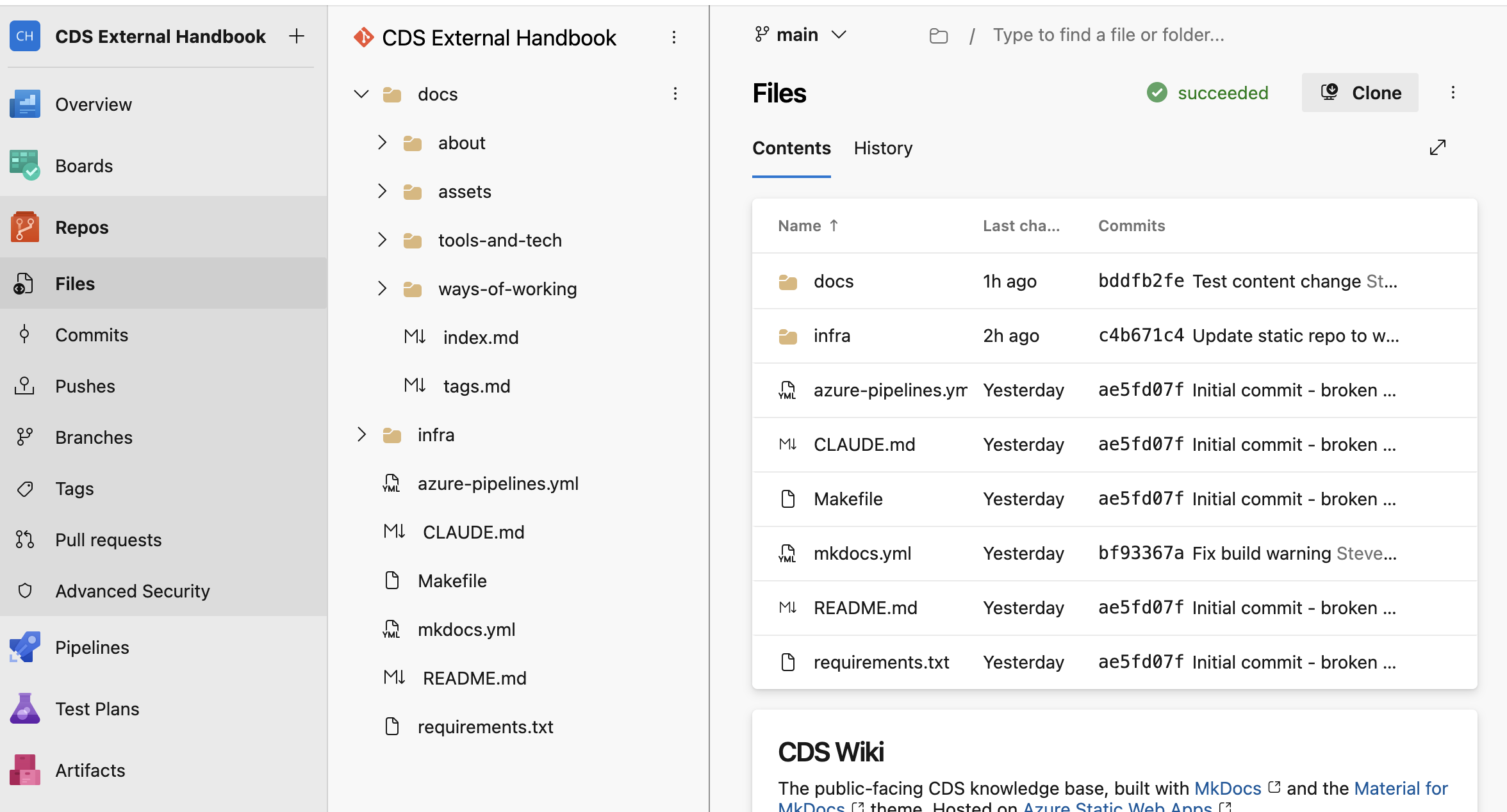
-
Click the file name to open it, then click the Edit (pencil) icon in the top-right corner.
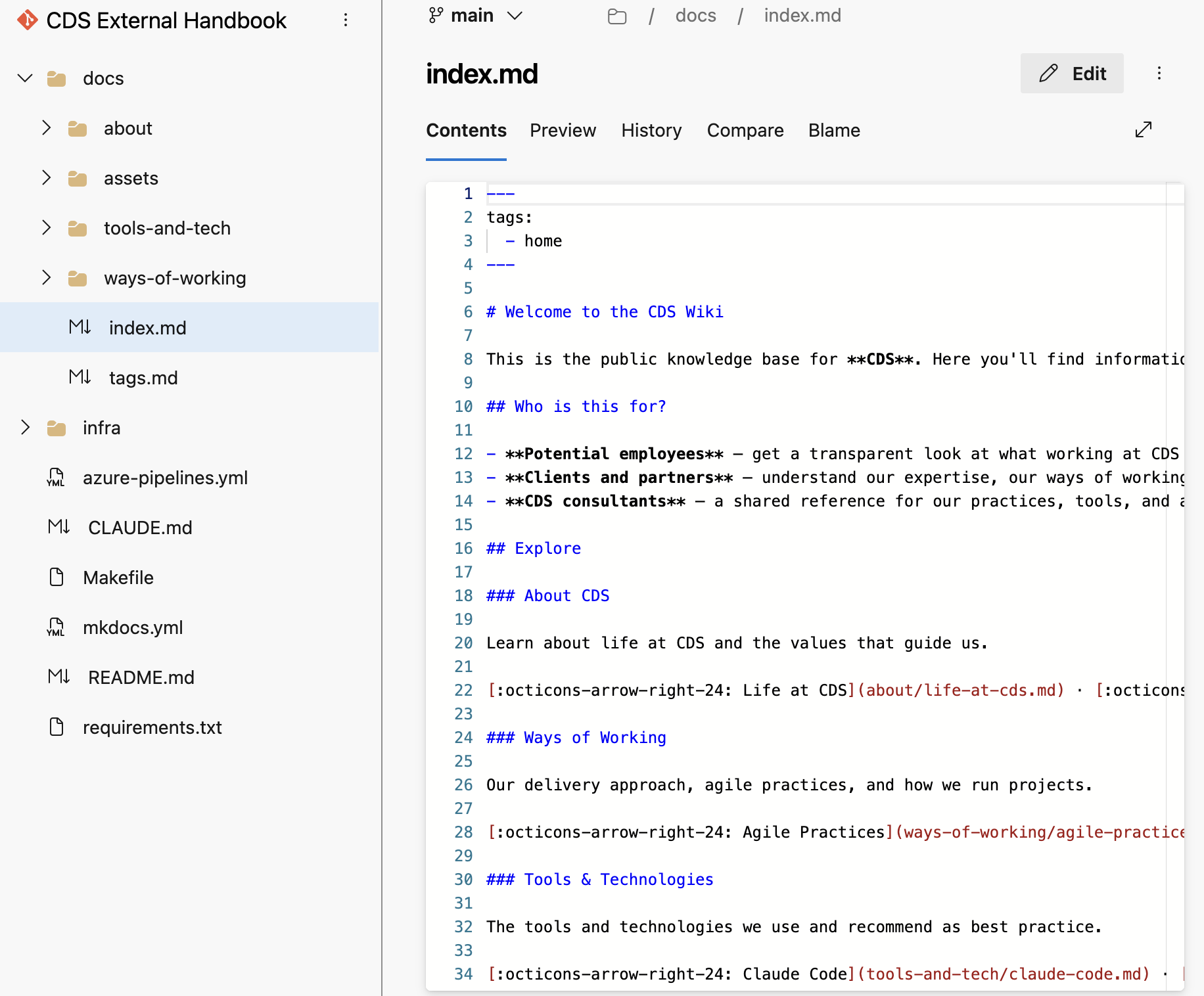
-
Make your changes in the editor. Refer to the Markdown guide below if you need help with formatting.
-
When you are done, click Commit in the top-right corner.
-
In the commit dialog:
- Write a short Comment describing your change (e.g. "Update agile practices — add retrospective section")
- Change the Branch name field from
mainto your new branch name, following the naming convention above - Tick Create a pull request
- Click Commit
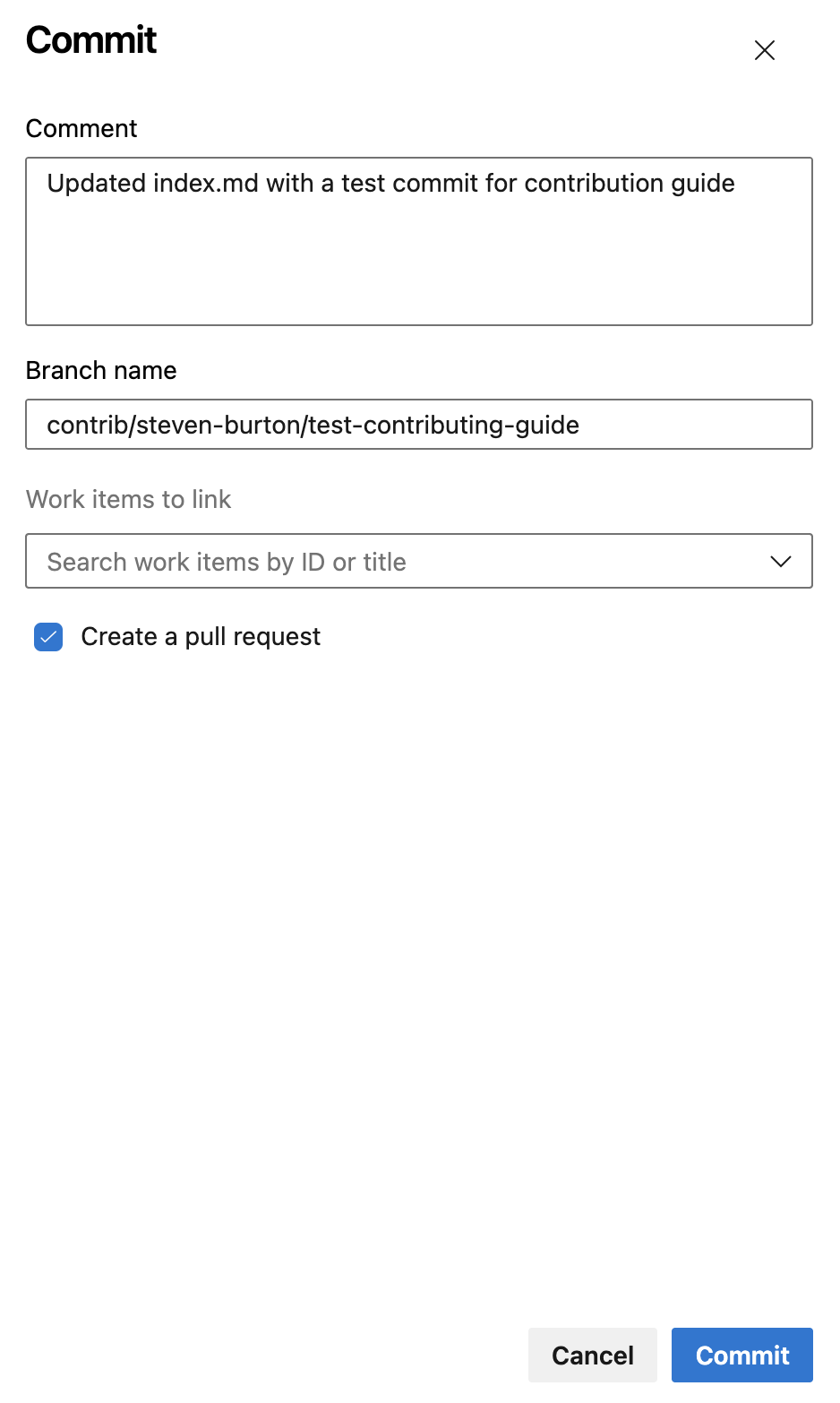
-
This opens the New Pull Request screen. ADO pre-fills the title and description from your commit comment — update them to be clear and descriptive:
- Title — a concise summary of your change (e.g. "Update agile practices — add retrospective section")
- Description — one or two sentences on what you changed and why
- Click Create
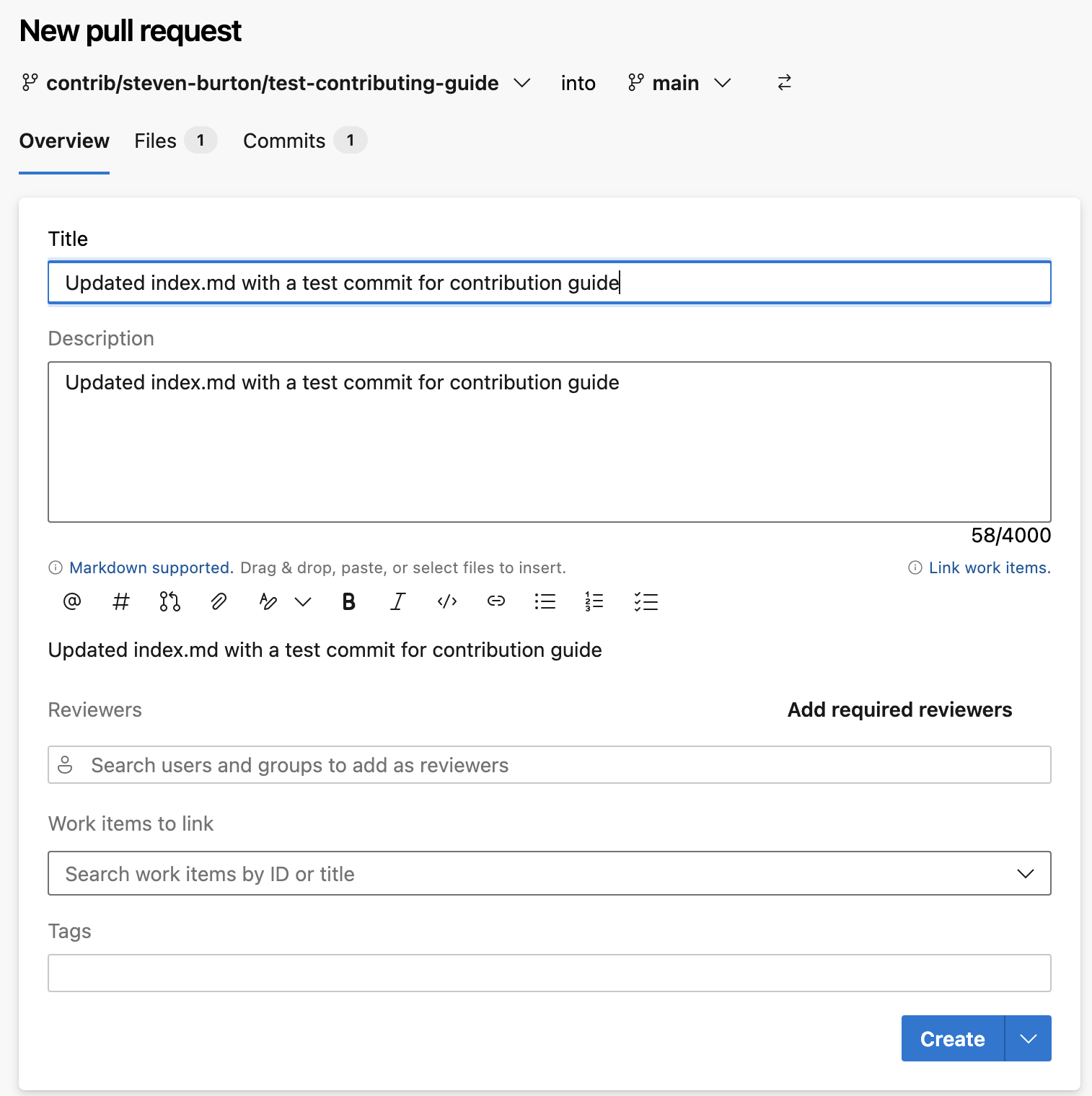
Your PR will be reviewed. You will be notified when it has been approved and the changes are live.
Creating a new page
Creating a new page requires one additional step — adding it to the site navigation in mkdocs.yml. If you are editing via the browser, the reviewer will handle this before merging — mention in your PR description that a new page has been added. If you are working locally, add the page to the nav: section in mkdocs.yml yourself.
Note
The sidebar and search are auto-generated from mkdocs.yml. You do not need to add links to the page anywhere else — not to the section index page, not to the home page. One entry in mkdocs.yml is the only registration step.
-
Open the repository and navigate to the relevant subfolder inside
docs/:docs/about/— life at CDS, culture, values, behaviours, what we dodocs/how-we-work/— cross-cutting approaches that apply to the whole delivery team regardless of discipline, grouped intodelivery/,engineering-architecture/, andquality/. If every discipline follows it, it belongs here.docs/our-people/— the role frameworks that support CDS consultants and lead client accounts, grouped intopeople-support/andaccount-leadership/docs/practices/<name>/— all content owned by a specific practice (engineering, QA, product delivery): tooling, techniques, standards, and depth specific to that discipline. When in doubt, practices is the right home if it has a discipline owner.docs/service-management/— the Service Management enabling team: how the managed service runs and who leads it. This is a delivery team, not a practice.docs/tools-and-tech/— tools and technologies CDS uses, independent of a specific practice
-
Click + New at the top-right of the file list, then select File.
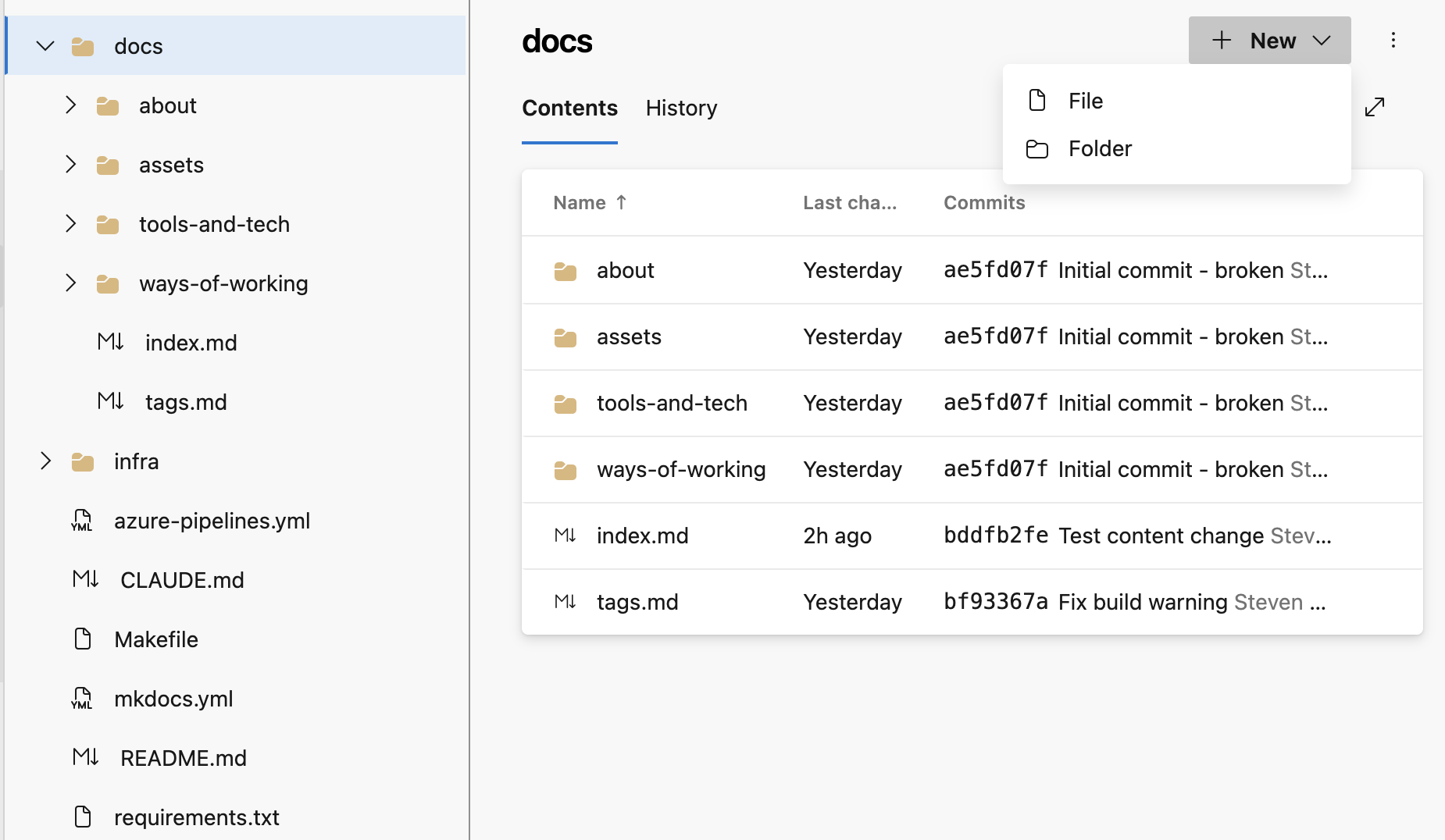
-
Name your file using lowercase words separated by hyphens, ending in
.md— for example,my-new-page.md. -
Start the file with a front matter block (see Front matter and tags below), then add your content.
-
Commit to a new branch and raise a PR as described in steps 5–7 above.
-
In your PR description, mention that you have created a new page so the reviewer knows to add it to the navigation.
Adding images via the browser
Images must be uploaded to the repository before you can reference them in a page.
-
Navigate to
docs/assets/images/in the ADO file browser. -
Click the
⋮three-dot menu at the top-right of the file list, then select Upload file(s).
-
In the commit dialog, commit to the same branch you are using for your content changes — not to
main. -
Reference the image in your Markdown file (see Images in the Markdown guide below).
Making changes locally (for developers)
If you are comfortable with Git, you can clone the repository, make changes locally, preview the site, and push a branch.
Prerequisites
- Git
- Python 3.10 or later and
pip
Workflow
# Clone the repository (first time only)
git clone https://cdsdigital.visualstudio.com/_git/CDS%20External%20Handbook
cd "CDS External Handbook"

# Install dependencies
pip install -r requirements.txt

# Create a branch following the naming convention
git checkout -b contrib/your-name/brief-description

# Preview the site locally as you work (auto-reloads on save)
make serve

# When ready, stage and commit your changes
git add docs/your-file.md
git commit -m "Brief description of your change"

# Push your branch to ADO
git push origin contrib/your-name/brief-description
Then open ADO and raise a pull request against main.
Tip
Run make build before pushing to catch any broken links or formatting issues. The pipeline runs with --strict mode, so any warnings will fail the build.
Writing in Markdown
Handbook pages are written in Markdown — a simple formatting language that renders as styled HTML. Here is everything you need.
Headings
# Page title — use once, at the top of the page

## Major section

### Subsection
Warning
Every page should have exactly one # (H1) heading at the top. Do not skip heading levels — always H1 → H2 → H3 in order. This matters for both accessibility and search.
Text formatting
**bold text**

*italic text*

`inline code`
Lists
- Bullet point
- Another bullet point
    - Indented sub-point

1. Numbered list
2. Second item
3. Third item
Links
[Link to an external site](https://example.com)

[Link to another handbook page](../about/our-values.md)
Use relative paths (starting with ../) to link between pages in the handbook. Do not hardcode the live site URL.
Warning
Link text must describe the destination on its own. A reader scanning links should understand where each one goes without reading the surrounding sentence. Write [See our delivery approach](...) — not [click here](...) or [read more](...).
This is an accessibility requirement (WCAG 2.4.4) and also makes content easier to scan for everyone.
Images
Images must be saved in docs/assets/images/ before you can reference them. See Adding images via the browser above for how to upload them.
Once uploaded, reference an image in your Markdown like this:

The number of ../ steps depends on where your page sits:
| Page location | Image path prefix |
|---|---|
docs/your-page.md |
assets/images/ |
docs/subfolder/your-page.md |
../assets/images/ |
Always write a meaningful description in the alt text — describe what the image shows, not just the filename or "image". This is required for accessibility (WCAG 1.1.1) and is displayed if the image fails to load. The only exception is purely decorative images that add no information — use alt="" for those.
Tables
| Column A | Column B | Column C |
|----------|----------|----------|
| Row 1    | Value    | Value    |
| Row 2    | Value    | Value    |
Code blocks
Surround code with triple backticks and specify the language for syntax highlighting:
```python
def greet(name):
    return f"Hello, {name}!"
```

```bash
make serve
```
Callout boxes
Use admonitions sparingly — only for things the reader genuinely needs to notice.
!!! tip
    A helpful suggestion.

!!! note
    Something worth knowing.

!!! warning
    Something the reader must be aware of before proceeding.
Front matter and tags
Every page must begin with a front matter block that lists relevant tags. This powers the Tags index.
---
tags:
  - how-we-work
  - agile
---
Use existing tags where possible. Common tags are: about, our-people, culture, values, behaviours, how-we-work, agile, delivery, testing, tools, devops, azure, ai, contributing, practices, engineering, product-delivery, qa, itsm.
What makes a good pull request
- One change per PR — keep it focused. A PR that fixes a typo and rewrites a whole section is harder to review.
- Clear title — describe what changed, not just "update page".
- Brief description — one or two sentences on what you changed and why.
- Check your formatting — preview your Markdown if you can, and double-check image paths and internal links.
- Check accessibility — headings in order, descriptive link text, meaningful alt text on images. The pipeline runs automated WCAG AA checks and will block your PR if they fail.
- New page? — if editing via the browser, mention in the description that a nav entry needs adding. If working locally, add it to
mkdocs.ymlyourself.
Tags
Browse all handbook content by tag.